Getting started
Connect Canva
Connect your Canva account once: open your YLC creations in Canva to edit them, and bring your Canva designs into your apps.
On this page
In short: connect Canva once in your YLC account. Then you open your Glyphi designs and Studio images in Canva to edit them, and bring your Canva designs into Straby, Ondra and Tapio.
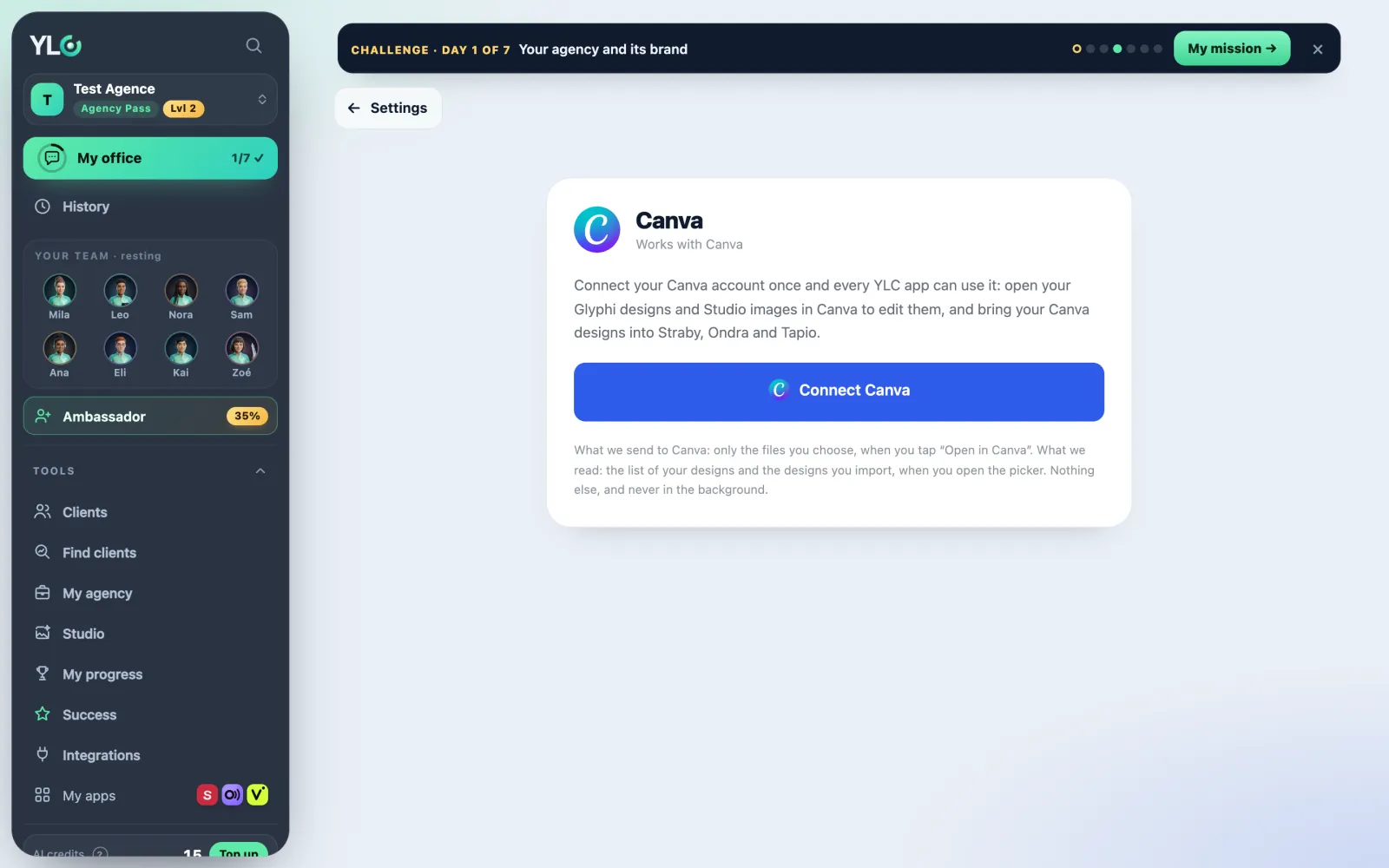
Open the page
- From Settings › Connections, Canva card: tap Connect (or Manage if it's already done).
- Or from an app that asks you ("Connect Canva first"): the page opens in a new tab.
Connect Canva
- Tap Connect Canva.
- Canva opens: sign in and accept.
- You come back to the page: Canva is connected. and Connected as with your Canva name show up.
- If you came from an app, tap Back to that app, or close the tab.
Then, in your apps
- On a Studio image or a Glyphi design, tap Open in Canva.
- For a carousel edited in Canva, tap Get it back from Canva: your Canva version replaces the slides.
What is sent and read
- Sent to Canva: only the files you choose, when you tap Open in Canva.
- Read: the list of your designs and the ones you import, when you open the picker. Never in the background.
Disconnect
Tap Disconnect Canva. YLC apps can no longer reach your Canva account.
What it costs
- Connecting or disconnecting Canva: free.
- Opening a carousel in Canva: free, with the Agency Pass.
If it doesn't work
- "You cancelled on Canva's side. Nothing was connected.": start again and accept on Canva.
- "This connection link expired. Try again.": tap Connect Canva again.
- "You were signed in with another YLC account when Canva sent you back.": sign in with the right account, then start again.
- "Canva didn't confirm the connection.": try again in a moment.
- "Too many attempts. Try again in an hour.": wait an hour.
- "Your Canva connection has expired.": reconnect Canva, then try again.
- "Canva isn't connected to YLC yet.": nothing to do on your side, it's coming soon.
See also
Did this article help you?
Thanks! Glad it helped.
Sorry about that. Write to us: a person from the team will answer. Write to us