Agency Find & sign clients
Your quotes
A clean quote in your name, with its agreement, that your client signs and pays online into your Whop account.
On this page
In short: pick your services and prices, and YLC turns them into a quote under your agency brand. Your client accepts and signs it online together with its agreement, then pays it, in full or with a deposit.
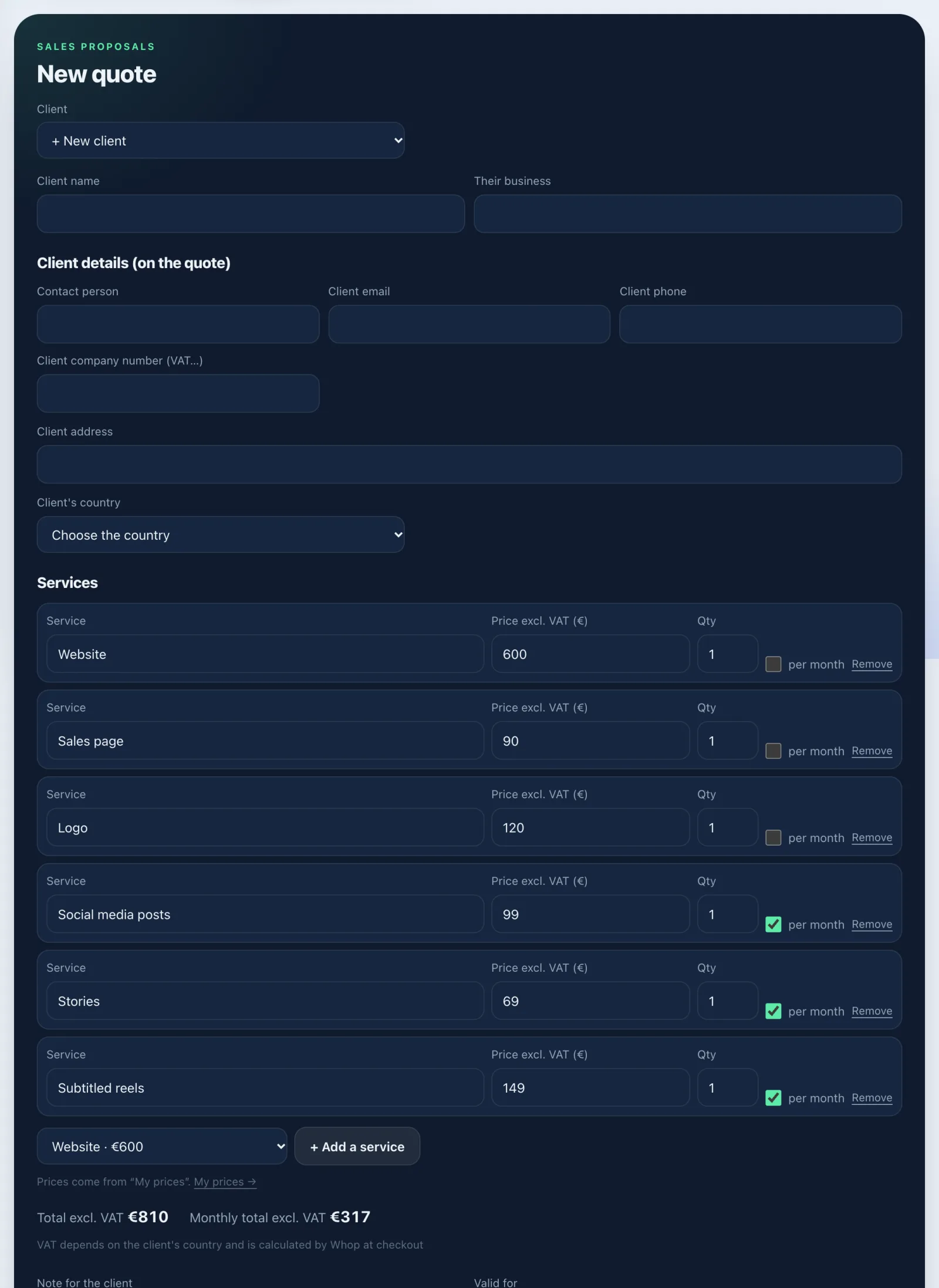
Make a quote
- Open Tools › Clients › Quotes (or Make a quote on a client's card).
- Choose the Client (or + New client).
- Add your Services: the prices from My offer are reused. Other service for a free line. Say whether it's per month.
- Write a Note for the client and how long it's valid.
- Check Your details (on the quote) and the Client details (on the quote). Tick Use these details for my next quotes so you don't type them again.
- Choose the Online payment: No online payment, The full amount, or A deposit, then the balance (as a percentage or as an amount).
- Tap Save the quote.
Send it and get it signed
- In My quotes, tap Open the PDF: this is your quote's page.
- Send its link to your client. They read the quote and the agreement, type their name and tick the box: I accept and sign.
- If there's an online payment, they then go straight to paying by card, Apple Pay or Google Pay.
- The status changes (Draft, Sent, Accepted, Declined). The signed agreement and the invoice for each payment are filed automatically on their card, under Agreements and invoices.
Duplicate starts from an existing quote. Delete removes it for good: its link won't open any more.
Receive payments
Once only, in Tools › Clients › Receive payments: connect your Whop account, finish your verification on Whop and accept the seller terms. It's all explained in Get paid: your payment account.
What it costs
Making a quote costs no credits. YLC takes no commission (0%) on your sales; Whop keeps its fees. Quote prices exclude VAT: the applicable VAT is calculated and added by Whop at checkout.
If it doesn't work
- "Enter the client's name." / "Add at least one service with a price." / "Enter your agency name."
- "The quote couldn't be saved. Try again in a moment."
- The payment button doesn't show: connect your Whop account and finish your verification.
- A practice quote (example client) stays a draft: it can't be sent, signed or paid.
See also
Did this article help you?
Thanks! Glad it helped.
Sorry about that. Write to us: a person from the team will answer. Write to us