Agency Find & sign clients
Get paid: your payment account
Connect your Whop account once, get it verified, accept the seller terms: your clients can pay you online.
On this page
In short: for your clients to pay your quotes and offers online, you need a payment account. It's your Whop account: you connect it once, here, and the money goes straight to you.
Open the page
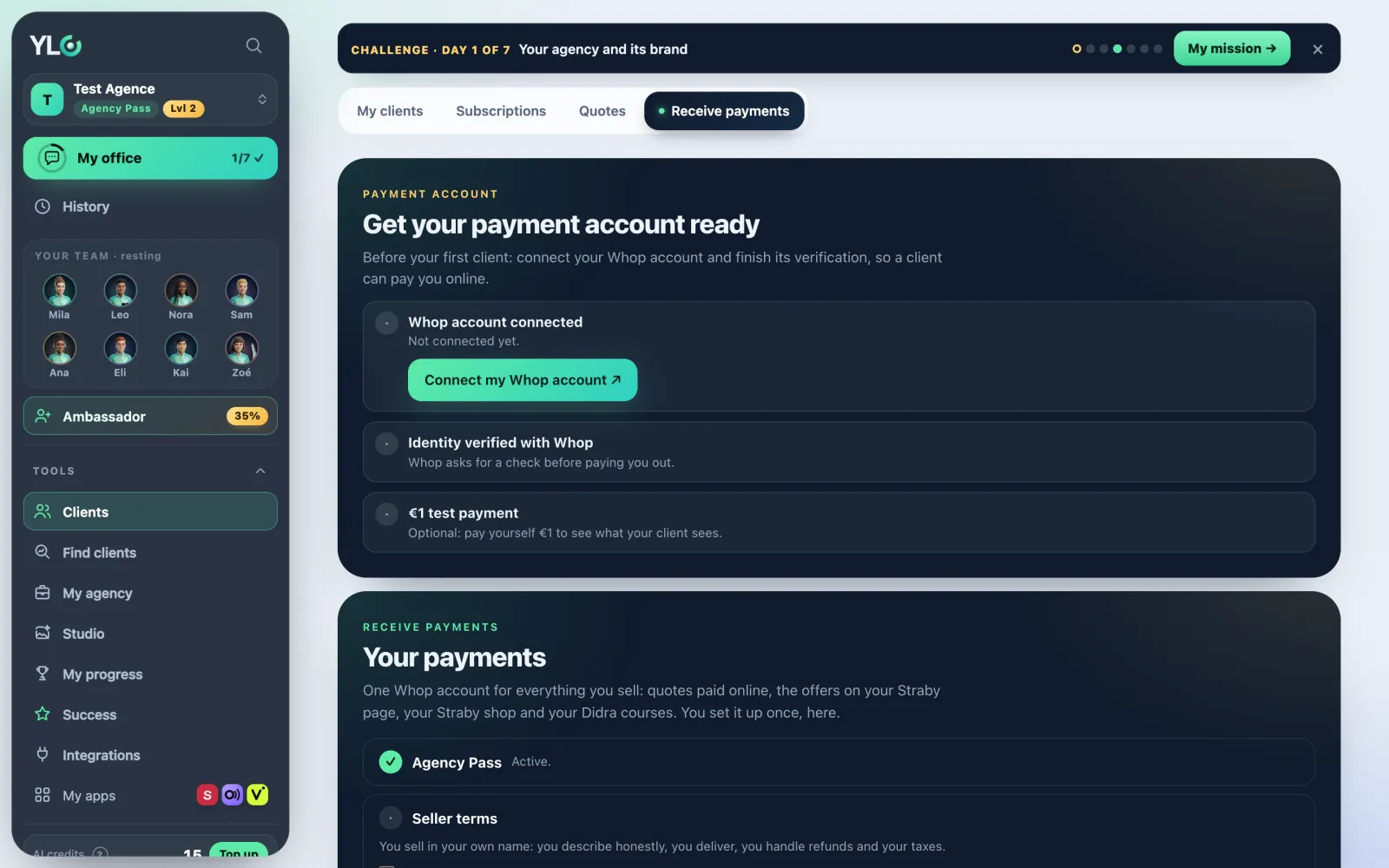
Open Tools › Clients › Receive payments. The page has two cards: Get your payment account ready (or Your payment account is ready once everything is done) and Your payments.
Get your account ready in three steps
- Whop account connected: tap Connect my Whop account. Whop opens: create your account or sign in, then come back.
- Identity verified with Whop: tap Finish my verification. Whop asks who you are before paying you out. You can take payments before; withdrawals wait for the check.
- €1 test payment (optional): tap Make a €1 test payment. You pay yourself €1 with your card, like a client, to see what they'll see. Then refund yourself from your Whop dashboard (Payments, then Refund).
Each line ticks itself once it's done on Whop.
Your payments
- Agency Pass: you need an active Pass to sell.
- Seller terms: read them, tick I accept the seller terms, then tap Accept. You sell in your own name: you describe honestly, you deliver, you handle refunds and your taxes.
- Once your account is connected and verified, My Whop payouts opens the money received and your withdrawals on Whop.
This account is used everywhere: quotes paid online, the offers on your Straby page (My showcase), your Straby shop and your Didra courses.
What it costs
Connecting and verifying your account costs no credits. YLC takes nothing on your sales. Whop keeps its card fees and pays you the rest. On the €1 test payment, Whop may keep its card fees.
If it doesn't work
- "Whop can't be reached right now. Try again shortly.": try again a little later.
- "Connect your Whop account first.": do step 1 before the test payment.
- "Too many tries at once: try again in a few minutes.": wait a little.
- "Payment being confirmed by Whop": the line will tick in a moment.
- "That didn't work. Try again in a moment." (when accepting the terms): make sure the box is ticked, then try again.
See also
Did this article help you?
Thanks! Glad it helped.
Sorry about that. Write to us: a person from the team will answer. Write to us