Agency Find & sign clients
Your clients' subscriptions
Sell monthly maintenance: your client subscribes once, and Whop charges them every month into your account.
On this page
In short: your monthly services (posts, website updates, Google reviews…) can be sold as a subscription. Your client subscribes once, Whop charges every month into your Whop account, and the invoice goes out on its own.
Two ways to sell a subscription
- In a quote: add a per month line and tick Sell the monthly services as a subscription. Your client subscribes from the quote page.
- On your showcase: tick Monthly services in My showcase. Your clients pick a package or services à la carte and pay online. Packages, setup fee, promo codes and terms of sale are in More options.
Follow your subscriptions
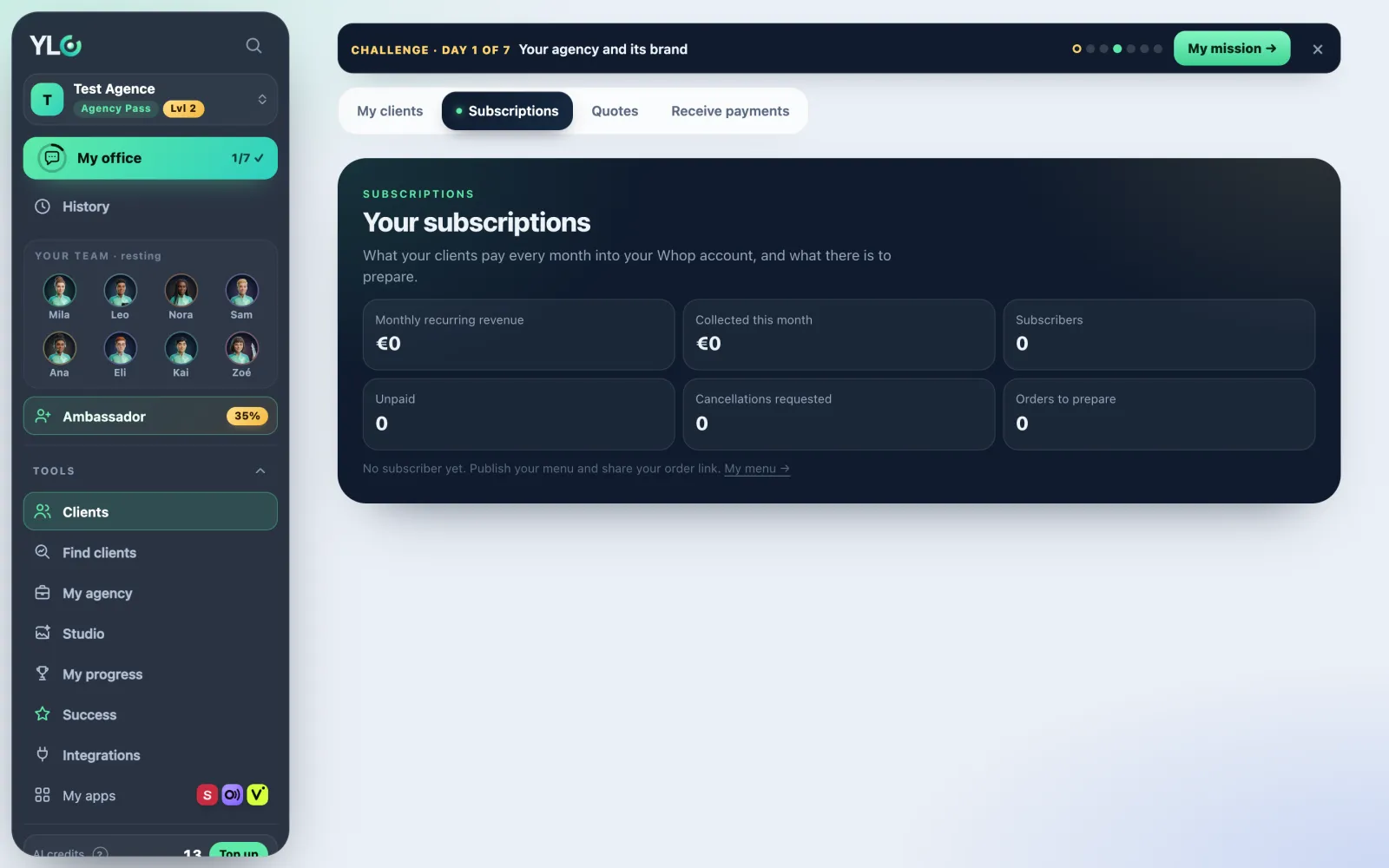
- Open Tools › Clients › Subscriptions. The page is called Your subscriptions.
- At the top: Monthly recurring revenue, Collected this month, Subscribers, Unpaid and Cancellations requested.
- The table shows each client, their plan, the monthly price excluding tax, the estimated credits, the status (Awaiting payment, Active, Unpaid, Stopped) and the next renewal.
- No subscriber yet? The My menu link takes you to set up your monthly services in your showcase.
Prepare the monthly orders
- Monthly orders: each paid month creates an order for that client.
- Tap Prepare the month: each tool opens for that client, as a draft. Open the tool to work on it.
- Tick what's Done. When everything is ready, tap Mark as delivered.
Everything stays as a draft: nothing goes to your client without your approval.
Stop a subscription
Tap Stop at the end of the month, then confirm. It takes effect at the end of the paid period.
What it costs
YLC takes nothing on your subscriptions (0%); only Whop's fees apply. Preparing the month spends your credits, depending on what you create: the screen shows an estimate and your balance.
If it doesn't work
- Your order page says "coming soon": your Whop payment account isn't verified yet. Finish it in Receive payments.
- "Write your terms of sale before publishing.": your clients must accept them before paying.
- "You're … credits short to prepare everything.": tap Top up, or Only start what fits.
- Unpaid: the charge was declined, Whop tries again. No monthly order is created until it's paid.
- "The update failed. Try again."
See also
Did this article help you?
Thanks! Glad it helped.
Sorry about that. Write to us: a person from the team will answer. Write to us