Agency Your agency
Add and manage your clients
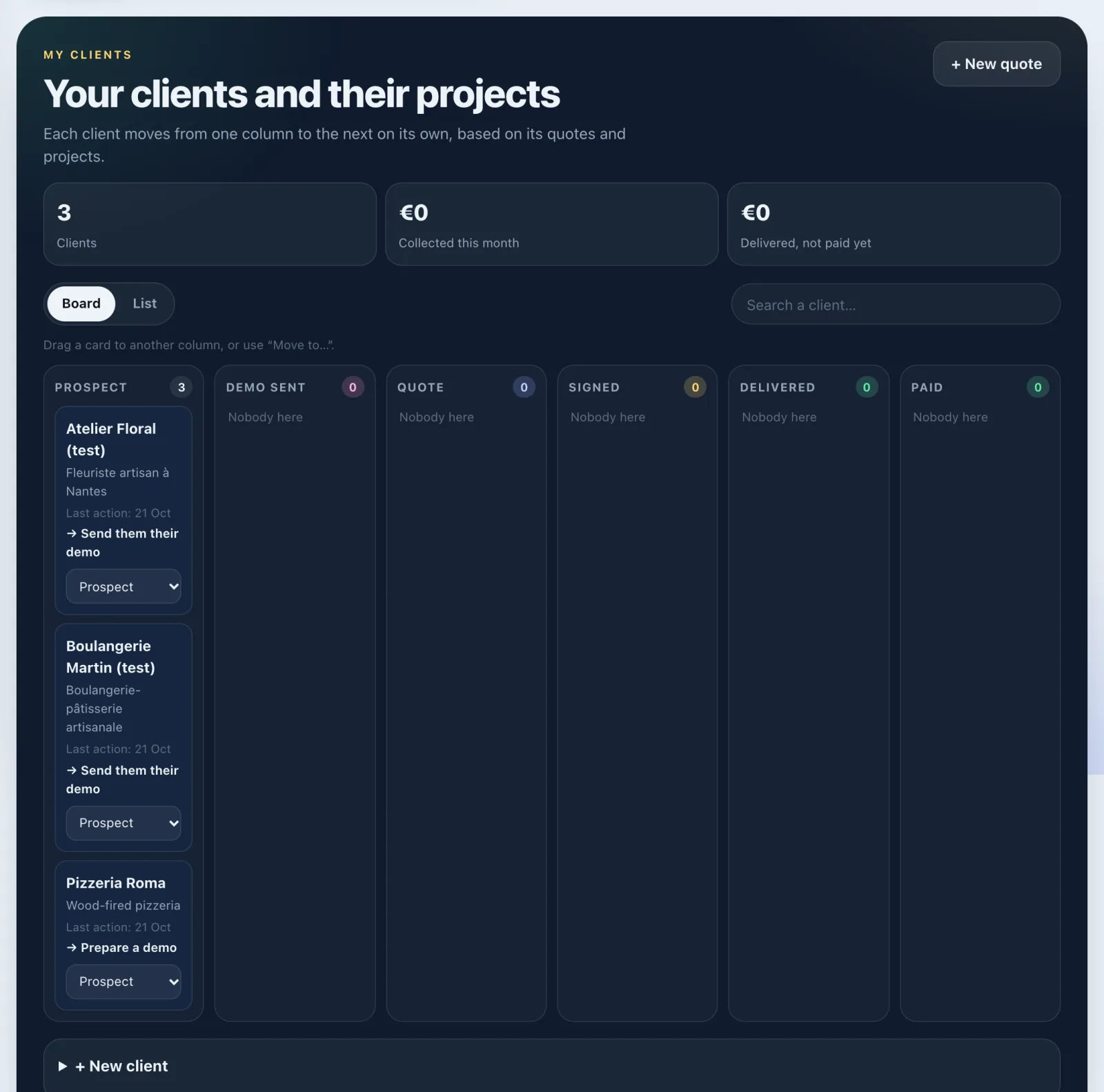
My clients: your clients in columns, from prospect to paid, with a card for everything about each client.
In short: Tools › Clients › My clients gathers your clients. Each one moves from column to column on its own, based on its quotes and projects, and has its own card.
Add a client
- Open Tools › Clients › My clients.
- Tap + New client.
- Fill in Name (required), Business, Contact and a Note if you like.
- Tap + Add the client.
You can also make a quote straight away with + New quote, at the top of the page.
A business found with Clama also becomes a client card as soon as you prepare a demo for it. To practise safely, add an example client from Find clients (Add a practice client): nothing is sent to it, and it counts nowhere.
The columns
Prospect, Demo sent, Quote, Signed, Delivered, Paid. A card moves forward on its own. Pick the Board or List view, and find a name with Search a client…. You can also drag it to another column, or use Move to…. At the top you see your Clients, what you Collected this month and what is Delivered, not paid yet.
A client's card
Tap a client to open their card. You'll find:
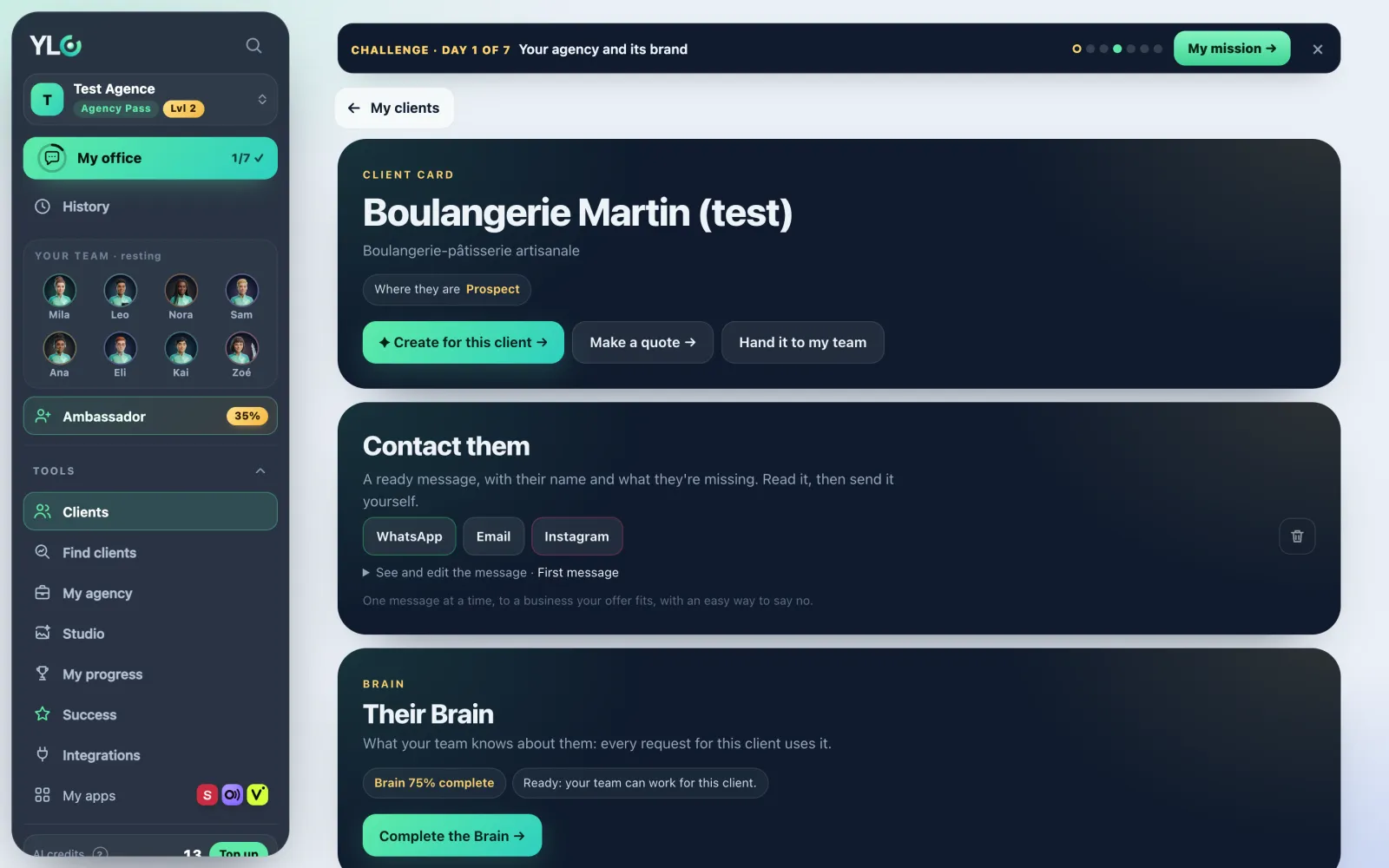
- Where they are and Their brand (their logo, colours, photos);
- their Brain, what your team knows about them;
- Hand it to my team: choose what you deliver, your AI team prepares it in their brand, as a draft;
- Contact them, while they're at the start: a ready message, in their name, that you send yourself;
- What your team made for them, most recent first;
- Their quotes (Make a quote), their projects, their online payments, their subscriptions, their agreements and invoices.
All your quotes also stay folded at the bottom of My clients, under All my quotes.
To delete a client and their projects: Delete this client on their card, then Yes, delete.
If it doesn't work
- "This card already has a quote or a project: it can't move back by dragging.": change its quote or projects on its card.
- "That didn't work. Try again in a moment.": try again.
- The page offers you the Agency Pass: My clients is part of the Agency Pass.
See also
Did this article help you?
Thanks! Glad it helped.
Sorry about that. Write to us: a person from the team will answer. Write to us