Agency Your agency
Your first day in Agency mode
What happens the first time you sign in to Agency mode: your office, Léa, the day 1 quest (free) and what comes next.
On this page
In short: your first day is day 1 of the 7-day Challenge. In your office, Léa gives you your first quest: your agency's name, then your express logo and colours. About 2 minutes, free.
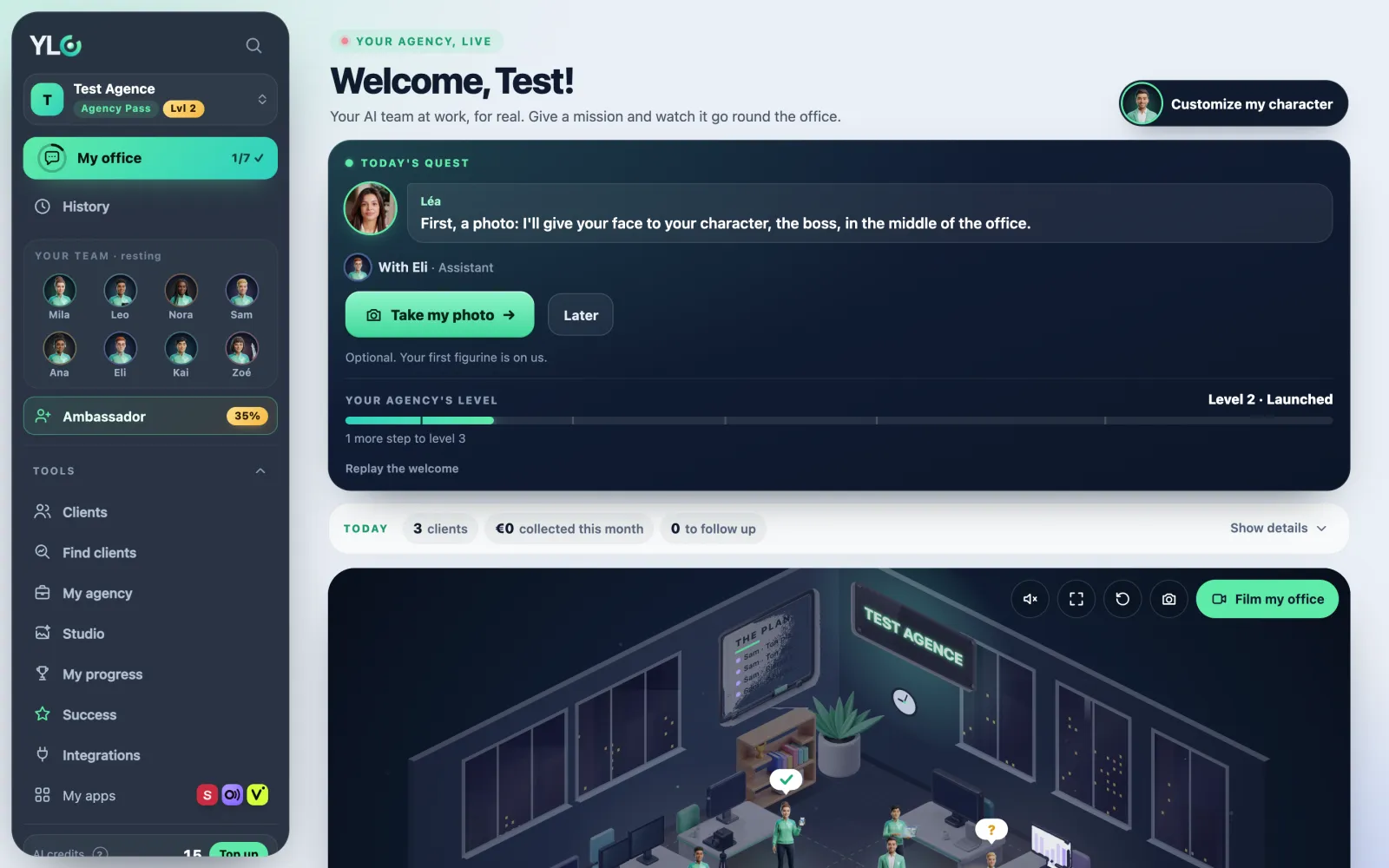
When you arrive
- Create your account with your email: you get a 6-digit code, no password.
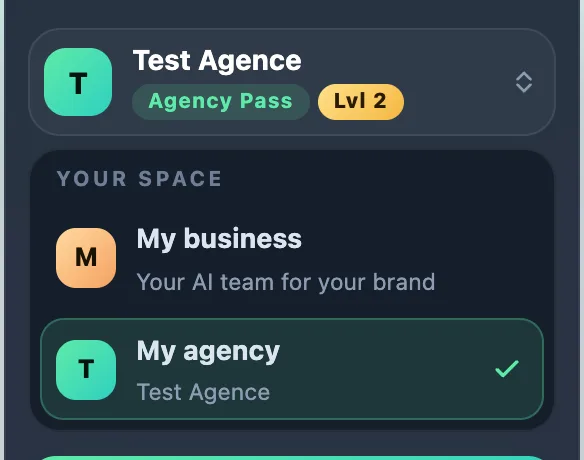
- In My office, Léa asks you one question: do you want your AI team For my business or To start an agency? Choose To start an agency.
- This choice isn't final: it only sets where you start. You can switch later with Your space at the top of the sidebar.
- Léa introduces herself in a few bubbles: tap Next, then Let's go (or Skip).
Do your day 1
- In your office, the Today's quest card shows Challenge · day 1 of 7. Tap Start the Challenge.
- Your agency's name?: type it, say it into the mic, or tap a suggestion. Then tap That's my name.
- Tap Pick my logo: the Your agency's brand page opens.
- In Your express logo, pick your colours, then your logo, and tap Use this logo and these colours. It's free and uses no AI.
- Go back to your office: Quest complete! Your day 1 badge shows and Your agency's level goes up.
This logo and these colours go on your showcase and your quotes. The next quest opens the next day; Do it now lets you move faster.
The old Home page
The address of the agency's old Home now takes you to My office. Your numbers and your follow-ups are there, under today's quest.
What it costs
Day 1 is free. From day 2, the missions use the Agency Pass (or the Founder Pack): showcase, prospects, demos, quotes. The day 2 quest offers you the Pass; the price is written on the button, before you pay.
After day 1
- Your sidebar: My office, History, Referrals, then Tools (Clients, Find clients, My agency, Studio, My progress) and Success.
- You can change your agency name later in Tools › My agency › My agency brand.
- For a custom logo, Mila designs it in Glyphi with the Agency Pass.
If it doesn't work
- That's my name doesn't respond: the name needs at least 2 characters.
- "That didn't go through. Try again in a moment.": try again, or reload the page.
- "Your logo could not be saved. Try again in a moment.": try again a little later.
See also
Did this article help you?
Thanks! Glad it helped.
Sorry about that. Write to us: a person from the team will answer. Write to us