Agency Your agency
Your agency's brand
Your agency's name, logo, colours and contact details: what your showcase and quotes show. Free express logo.
On this page
In short: My agency brand is your agency's card: its name, pitch, logo, colours, contact details and social accounts. Your Straby showcase and your quotes use it. You pick your first logo and colours in 2 minutes, for free.
Open it
- In the sidebar: Tools › My agency › My agency brand.
- From My showcase, at the Your brand step: tap Add (or Edit).
- On day 1 of the Challenge, in your office: today's quest takes you there with Pick my logo.
Your express logo (free)
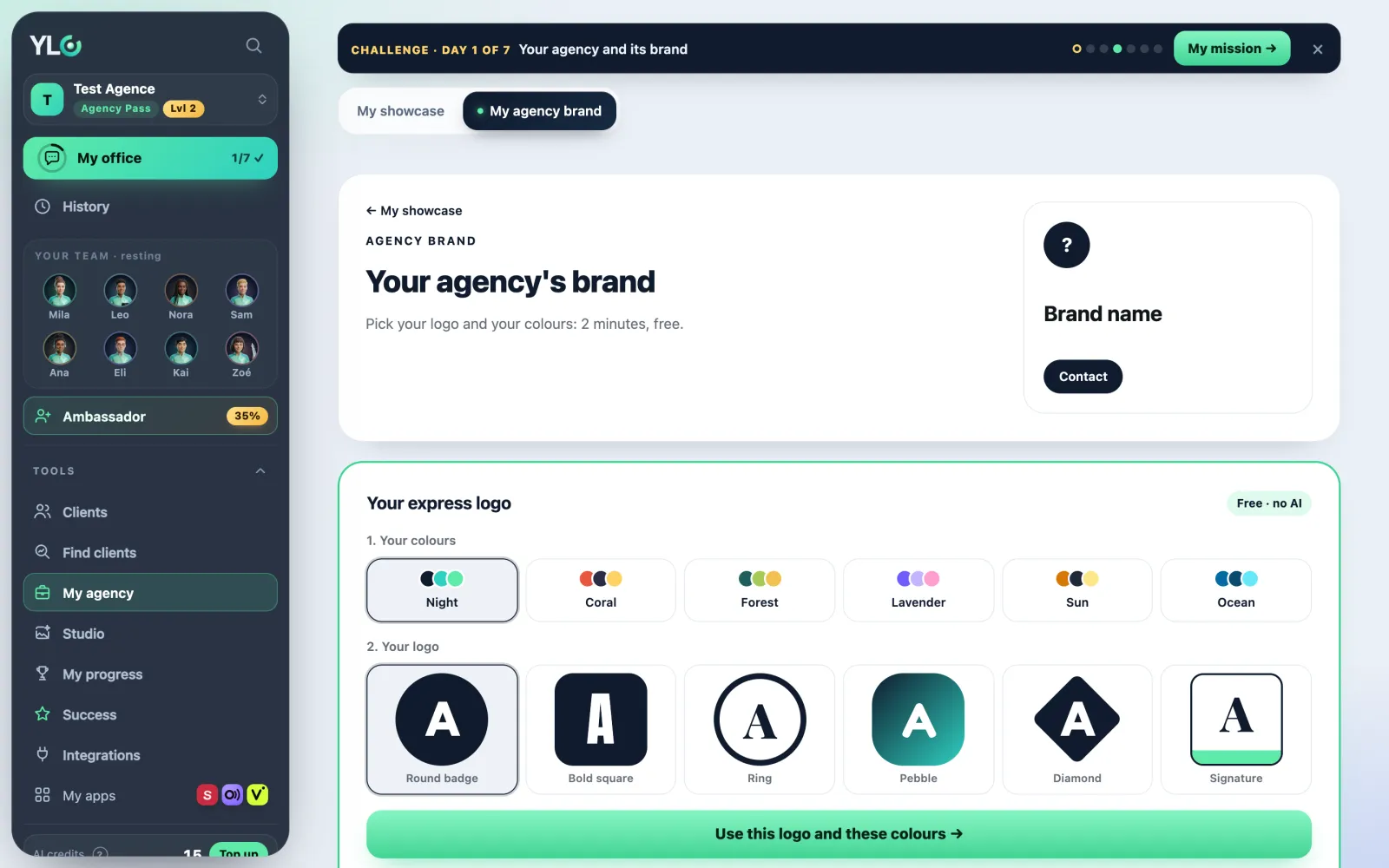
- At the top of the page, in Your express logo, choose 1. Your colours: Night, Coral, Forest, Lavender, Sun or Ocean.
- Choose 2. Your logo: Round badge, Bold square, Ring, Pebble, Diamond or Signature. It's drawn with your agency's name.
- Tap Use this logo and these colours. The message "Done: your logo and your colours are saved." confirms it.
It's free and uses no AI. Day 1 of your Challenge ticks itself, and the celebration waits for you in your office. Want a custom logo? Tap Pro logo with the Pass: Mila designs it in Glyphi (with the Agency Pass).
Complete the card
While your logo or colours are missing, the page opens on them. After that, everything else appears:
- Fill from my website: type your website address and tap Fill from my site. Only empty fields get filled, and nothing is kept until you save.
- Identity: the name (your agency's), the tagline, what you do and a description.
- Logos: + Add a logo, then pick its use (Main, Icon, Horizontal, One colour).
- Colours: + Add a colour, then give it a role (Main, Secondary, Accent, Background, Text).
- Fonts, Voice, Contact details, Social networks and Photos: fill in what's useful to you.
- Tap Save my brand. The message "Saved. Your apps will use it from now on." confirms it.
Your agency brand and My brand
Your agency's brand is kept apart from My brand. It started as a copy of My brand; what you change here no longer touches the other one. Each of your clients also has their own brand, on their card (Their brand).
Go back
The History block keeps every version. Tap Restore on an older version: it becomes the newest one, nothing is lost.
What it costs
- The express logo, filling in and saving your brand: free.
- Reading a new website: 1 credit, refunded if the reading fails. A website you already read is free.
If it doesn't work
- "Your logo could not be saved. Try again in a moment.": try again a little later.
- "That address can't be read. Type your site, e.g. yoursite.com.": check your website address.
- "Not enough credits to read a new site (1 credit).": top up your credits.
- "We couldn't read that site.": fill in the fields by hand.
- "Your brand was changed somewhere else in the meantime": tap Reload, then save again.
- "Only PNG, JPG or WebP images." or "This image is over 5 MB.": pick another file.
See also
Did this article help you?
Thanks! Glad it helped.
Sorry about that. Write to us: a person from the team will answer. Write to us