Agency Find & sign clients
Your AI avatar
A face, a voice and a first name that speak for your agency in all your videos, without you having to show yourself.
On this page
In short: your AI avatar is the official face of your videos. You pick it from a library of licensed avatars, or you invent a character. Then it says your Monday scripts for you.
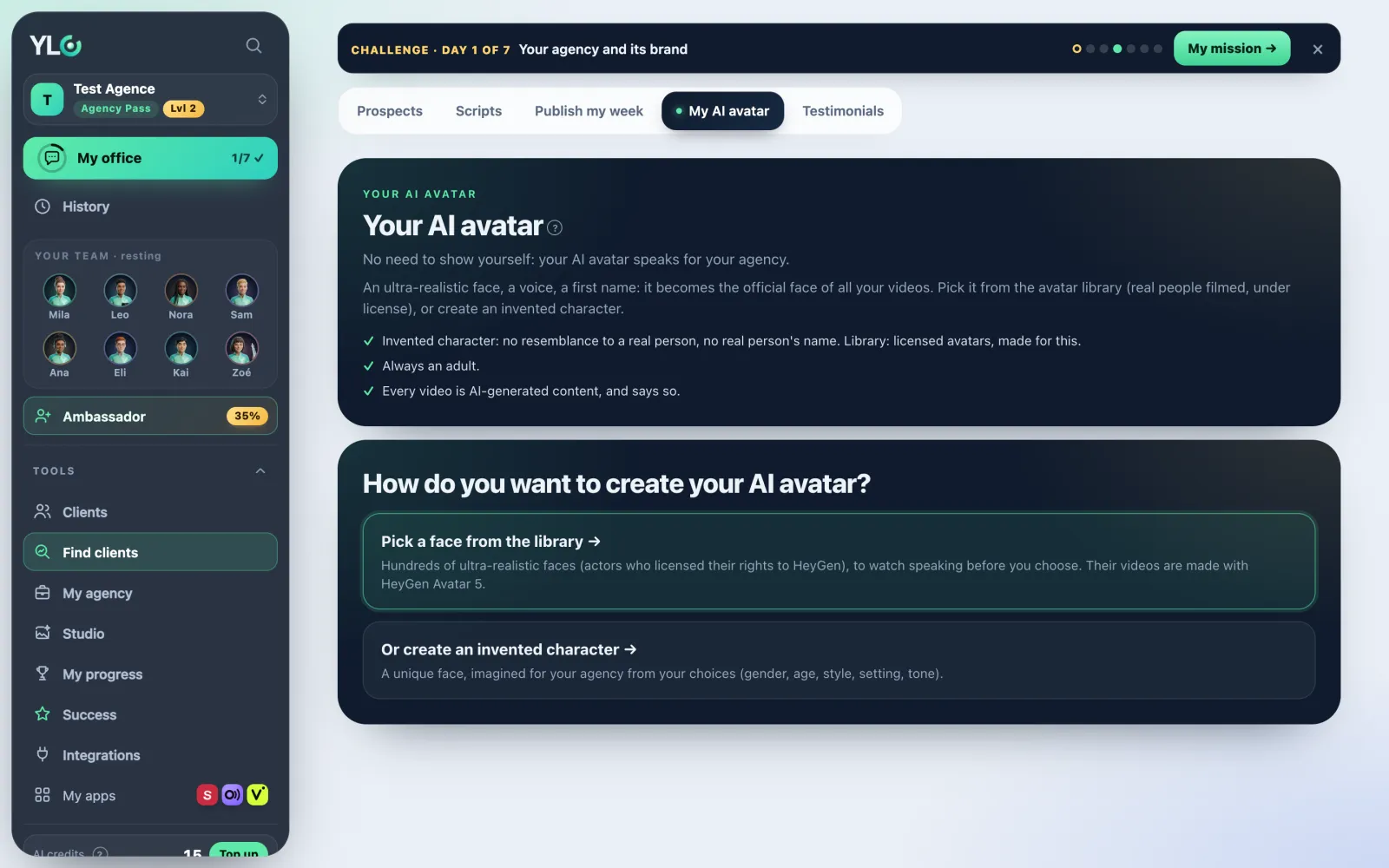
Open the page
Open Tools › Find clients › My AI avatar. The page asks: How do you want to create your AI avatar?
Way 1: a face from the library
- Tap Pick a face from the library. These are real actors, filmed, who licensed their rights.
- Their face: pick the person, then their look. Tap Watch them talk to hear them. Tap Next.
- Their voice: pick the language, then a voice. Tap ▶ to listen, it's free. Tap Next.
- Their first name: type an invented first name, then tap Save my avatar.
Way 2: an invented character
- Tap Or create an invented character.
- Their look: pick Woman or man, Age, Style, Setting, Tone and the Video language. Add a detail if you like (glasses, beard…). Tap Next.
- Their face: tap See 4 faces. It takes about a minute. Tap Pick this face under the one you like best. Same face, another setting only changes the background.
- Their voice: listen to the Ready voices · free and tap Pick. You can also Design a custom voice.
- Their first name: type it, then tap Save my avatar.
Next
Your AI avatar shows at the top of the page. Tap Make this week's videos: you land on your Monday scripts, where Make a video gets them talking. Edit lets you change them.
Already have a Semblo twin or a Tolka avatar? The Your face is already ready card shows it: it can present your videos for you.
What it costs
- A set of 4 invented faces: 8 credits (2 credits per face). A failed face is refunded.
- The same face in another setting: 2 credits.
- A custom voice: 3 credits. Ready voices are free.
- Picking a face from the library and saving your AI avatar: free.
- Each video has its own price, shown on the button before you start it.
The price is always shown first: nothing is charged without your click.
If it doesn't work
- "Your AI avatar is created with the Agency Pass.": you need the Agency Pass to make it.
- "You don't have enough credits for this.": top up your credits.
- "Your AI avatar must be an invented character: no name of, or resemblance to, a real person.": remove any name or likeness from your detail.
- "Your AI avatar must be an adult.": pick an adult age, with no detail that suggests a child.
- "Pick an invented first name of 2 to 30 letters."
- "The custom voice can't be created right now": nothing was charged, pick a ready-made voice.
- "Lots of requests at once: try again in a few minutes."
See also
Did this article help you?
Thanks! Glad it helped.
Sorry about that. Write to us: a person from the team will answer. Write to us