The Pass & credits
Your credits: balance, activity and top-ups
One balance for every app and your team: your monthly credits first, then your top-ups, which never expire.
On this page
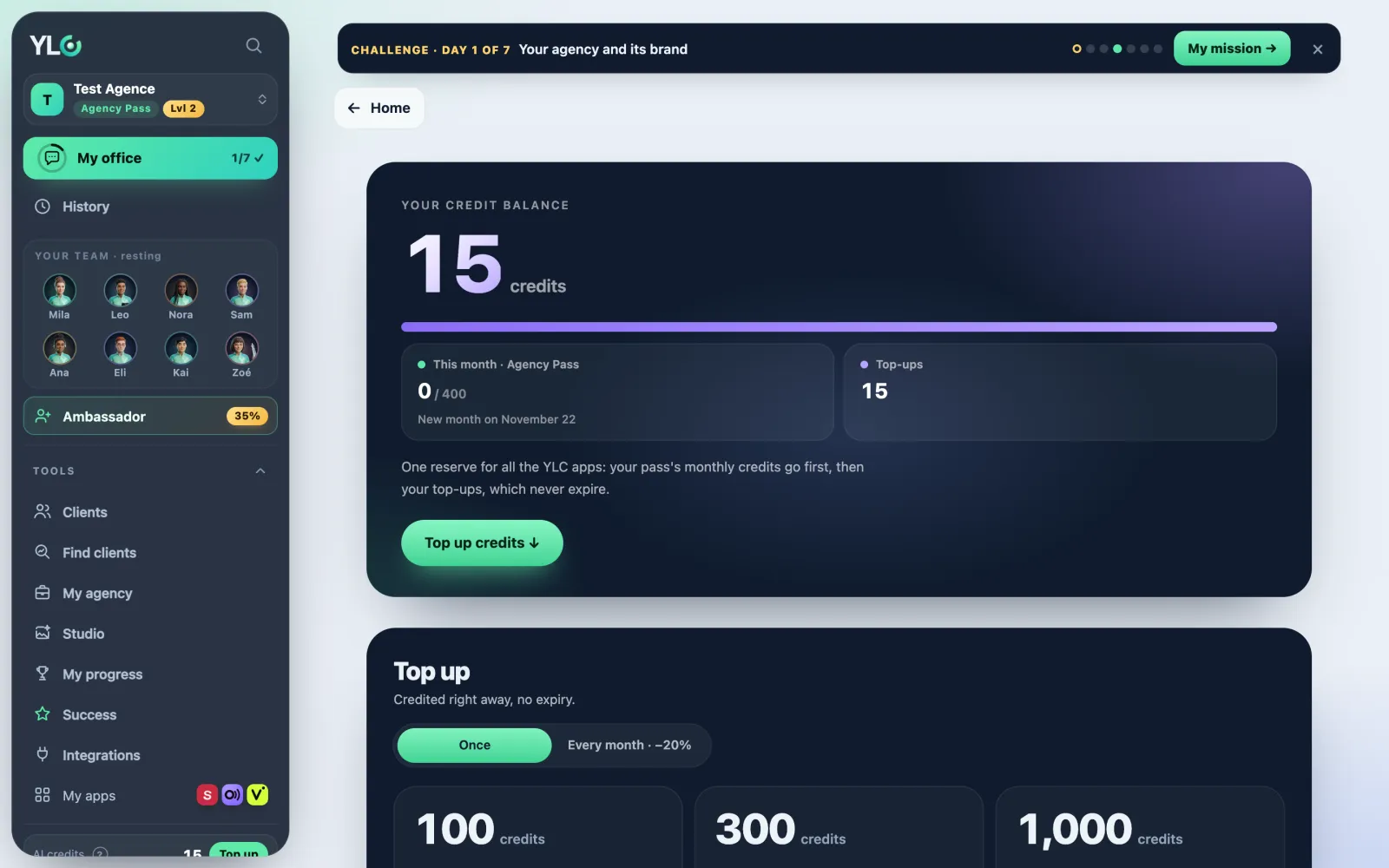
In short: a credit is what the AI uses to work. You have a single balance for every YLC app and for your AI team. The Credits page shows that balance, what each app took, and lets you top up.
Where your credits come from
- Your Pass: 150 a month (Business Pass), 400 (Agency Pass), or 400 a month for the first 12 months of the Founder Pack. They are used first and don't roll over to the next month.
- Your top-ups: the credits you buy on top. They are used after the monthly ones and never expire. See Credit top-ups.
Reading your balance
- Open your account menu and click Credits.
- At the top, Your credit balance: the total, then two lines. This month · your Pass (your Pass's credits) and Top-ups (the ones you bought).
- Below it, the date of the next month: New month on…, or Renews on…, on payment. With a yearly Pass: Yearly Pass until…: your credits arrive every month.
- The Top up credits button takes you further down, to the top-ups.
Your activity
At the bottom, Latest activity:
- This month: how many credits you used, app by app.
- Then, day by day (Today, Yesterday…), each action with its app and its price.
- Under each line: from this month, from your top-ups, or both.
- You also see your top-ups ("Top-up of 100 credits"), a YLC gift card and Credits returned ("the operation didn't finish, it cost you nothing").
Topping up
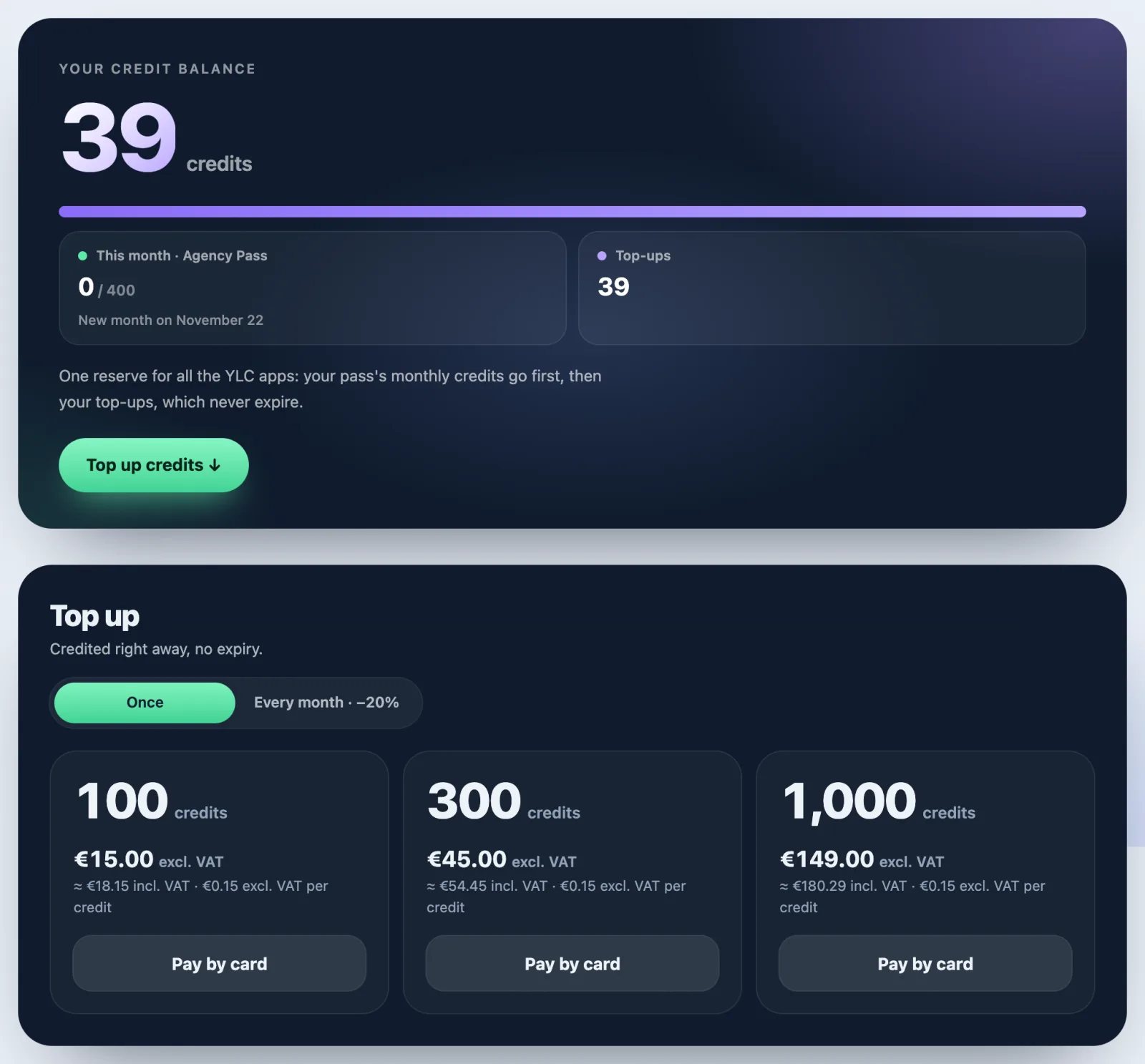
In Top up, pick Once or Every month · −20%, then 100, 300 or 1,000 credits, and click Pay by card. Details and prices: Credit top-ups.
Without a Pass, the page shows A Pass first and Choose my Pass: top-ups come on top of a Pass.
What it costs
- Every action shows its price before you confirm. Nothing is charged until you confirm.
- Your team: 100 free messages a month, then 1 credit per message.
- Many creations come in Express (the default) or Premium: see Express or Premium?.
- The full list: How many credits each action costs.
If something goes wrong
- A creation failed: its credits come back to you. You'll see a "Credits returned" line in your activity.
- "Waiting for your Pass payment": your Pass payment didn't go through. Your monthly credits and your apps come back as soon as it's settled; click Settle the payment. Your top-ups stay usable.
- Not enough credits: top up, or choose Express instead of Premium.
- "This month · no pass": you have no active Pass. Click See the Pass.
- You just paid for a top-up: "Thank you! Your credits reach your balance in a few seconds." Reload the page if needed.
See also
Did this article help you?
Thanks! Glad it helped.
Sorry about that. Write to us: a person from the team will answer. Write to us