The Pass & credits
Credit top-ups
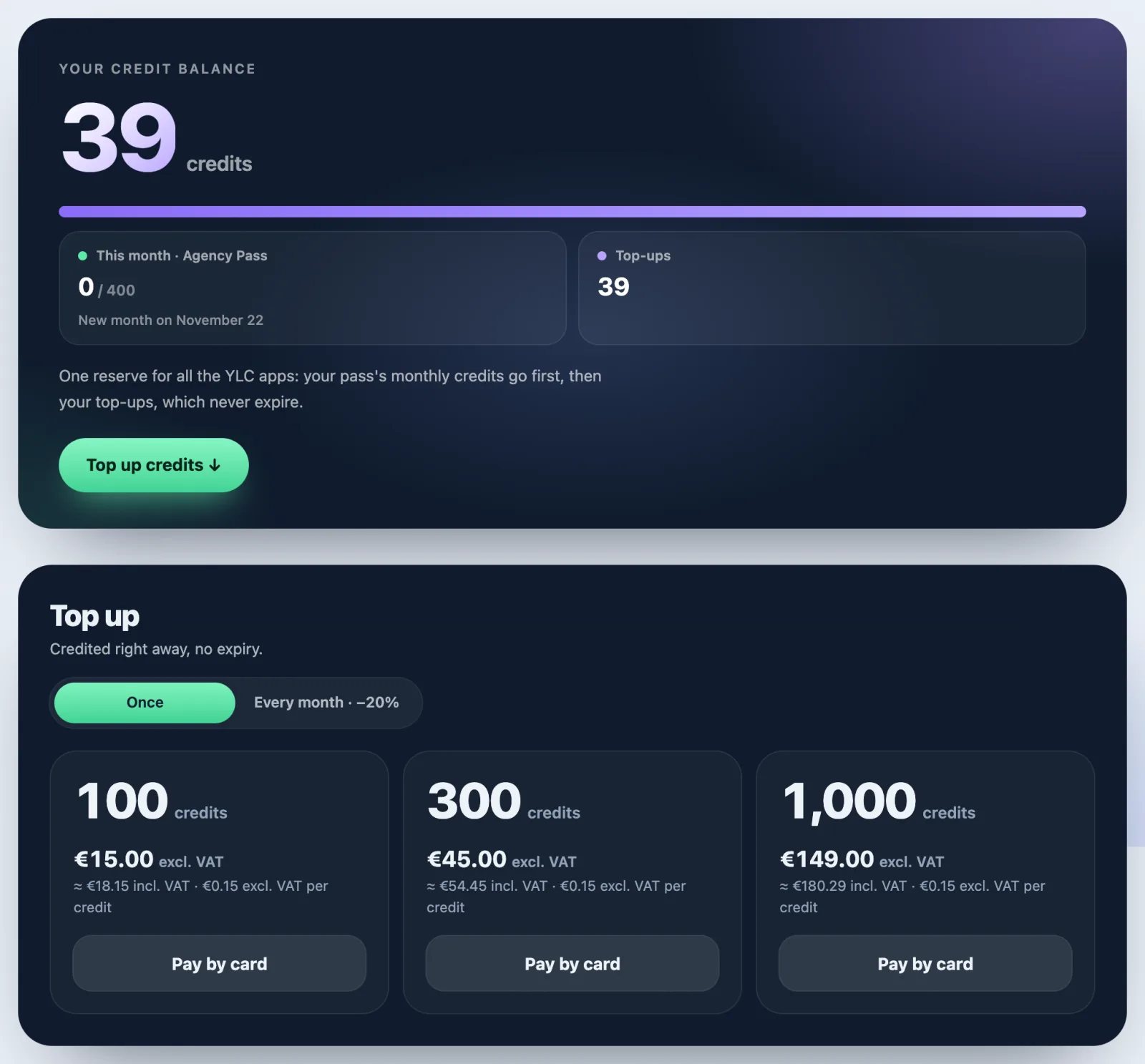
100, 300 or 1,000 extra credits, once or every month at −20%, at the same price in the Business space and the Agency space.
In short: a top-up adds credits to your balance. Bought once, they never expire; every month, they cost 20% less. You need an active Pass.
Topping up
- Open your account menu and click Credits.
- In Top up, choose Once or Every month · −20%.
- Choose 100, 300 or 1,000 credits.
- Click Pay by card and pay on Whop's page.
- Your credits reach your balance in a few seconds.
What it costs
Prices are the same in the Business space and in the Agency space (excl. VAT):
- Once: 100 credits 15 €, 300 credits 45 €, 1,000 credits 149 €. Credited right away, no expiry.
- Every month (−20%): 100 credits 12 €, 300 credits 36 €, 1,000 credits 119 €. Credited every month.
- Founding members: one-off top-ups at the monthly price, for life: 12 €, 36 € or 119 €.
Whop adds your country's VAT at checkout.
Stopping a monthly top-up
Open My Pass and invoice and click Manage or cancel: the page of your subscriptions at Whop opens.
If something goes wrong
- "Top-ups come on top of a Pass. Take a Pass first.": you need an active, paid Pass. Click Choose my Pass.
- "The payment couldn't start. Try again.": try again in a moment.
- "Payment received but not yet credited": try again; you won't be charged twice.
- "Top-ups are bought on the YLC website.": the phone apps don't sell anything. Open your account in a browser.
See also
Did this article help you?
Thanks! Glad it helped.
Sorry about that. Write to us: a person from the team will answer. Write to us