Agency Find & sign clients
Your prospecting scripts
Ready-to-copy messages for Instagram DMs, email, calls and follow-ups, matched to your prospect's trade.
In short: you pick your prospect's trade and the channel, fill in their first name and business, and the message is ready to copy. The AI can rewrite it for this prospect, for free.
Open the page
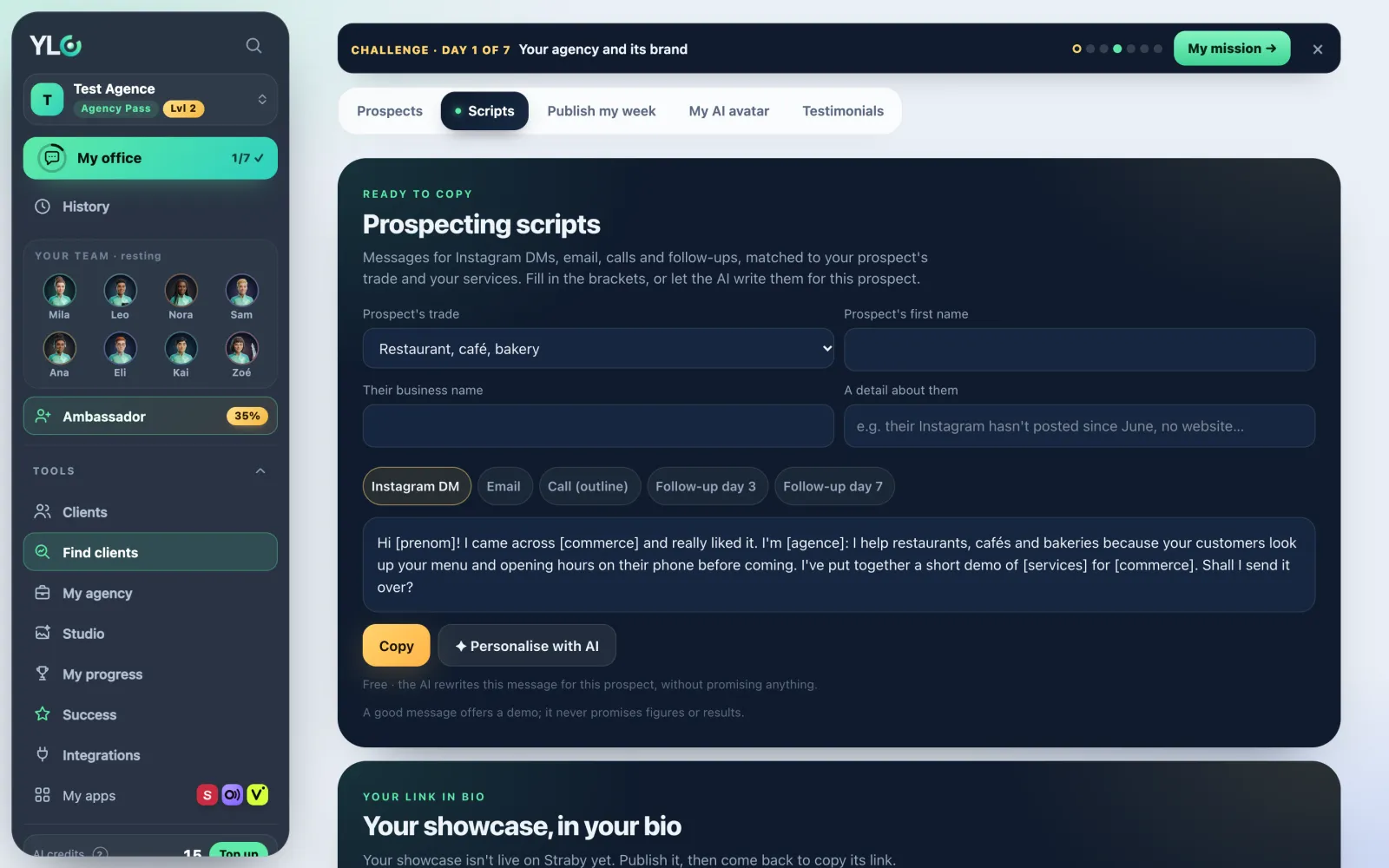
Open Tools › Find clients › Scripts. Not to be confused with Publish my week: there, you get posts for your social accounts; here, you get messages to send to one business at a time.
Prepare a message
- Pick the Prospect's trade (restaurant, hair salon, tradesperson, coach…).
- Fill in Prospect's first name, Their business name and, if you like, A detail about them (for example: no website).
- Pick the channel: Instagram DM, Email, Call (outline), Follow-up day 3 or Follow-up day 7.
- The message writes itself with your agency name and your services. Tap Copy.
- For a more personal message, tap Personalise with AI: the AI rewrites it for this prospect, using the detail you gave, without promising anything.
- Send it yourself, from your phone or your inbox.
Your link in bio
Below the scripts, Your showcase, in your bio gives you your Straby page address. Copy the link to paste it in your Instagram, TikTok or LinkedIn bio, See my page to look at it, Make a short link with Lanzo for a short link whose clicks are counted.
What it costs
The scripts and Personalise with AI are free. They're part of the Agency Pass.
If it doesn't work
- "Lots of requests at once: try again in a few minutes.": you've personalised a lot in a short time, wait a little.
- "Personalisation isn't available right now.": copy the ready message, it works as it is.
- "The message couldn't be personalised. No credit was taken.": try again.
- "Your showcase isn't live on Straby yet.": publish your showcase, then come back to copy its link.
See also
Did this article help you?
Thanks! Glad it helped.
Sorry about that. Write to us: a person from the team will answer. Write to us