Sign in Start free

App guide · Create

Motiv

From an idea to an animated video, voice-over included.

Motiv writes your video's script, has a voice read it and animates it, for Reels, TikTok, YouTube or your website. Leo, your AI video maker, handles it.

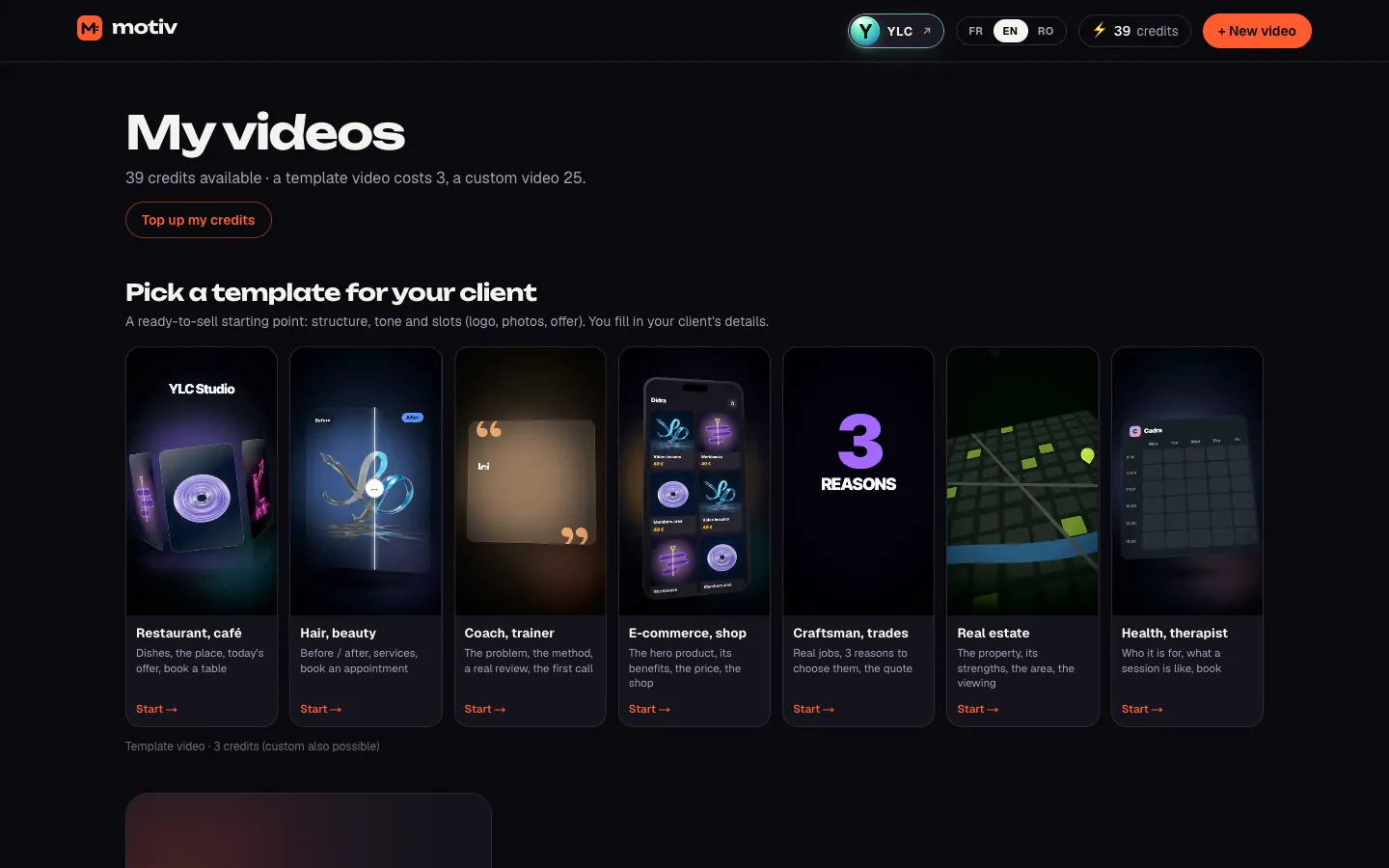
Motiv, on screen

The home screen of Motiv

What you can do

For your business

  • A short video for an offer, an opening or an event.
  • A template video ready in a few minutes.
  • Formats for Reels, TikTok, YouTube or your website.

For your agency and your clients

  • Motion-design videos for your clients' social media.
  • A presentation video to play during a demo.
  • The same video in several formats: vertical, square, horizontal.

Who handles it in your team

Leo Video maker

Leo writes and produces short motion design videos with Motiv: animated text and shapes, a voice-over if you want, subtitles. Ready in a few minutes, and the credits come back if it fails.

Ask in your office

  • “A 15-second video for my offer”
  • “A video for my new opening hours”

Your first result, step by step

Create your first video

  1. Open Motiv: click My apps, then Motiv. You land on My videos.
  2. Click Create my first video (or + New video).
  3. Fill in the brief: the kind of video, your business name, what you do, the format (Vertical 9:16, Square 1:1 or Landscape 16:9) and the tone. Click Create my video.
  4. Chat with Leo, then click Write the script.
  5. Choose the Video type: Template video (12 to 15 seconds, vertical, ready in 2 to 3 minutes) or Custom (10 seconds to 1:30, any format).
  6. Read the script scene by scene. Choose the voice, the captions, the sound and your elements (logo, 1 to 6 photos).
  7. Under Video quality, choose Express or Premium.
  8. Click Produce my video.

You can leave the page: an email tells you when it's ready. Then click Download the MP4, or Edit by chatting to change something.

What it costs

Motiv is included in your Pass. The price shows before you start.

  • A video from a template: 3 credits.
  • A custom video: 25 on Express, 70 on Premium.
  • Each extra format: 20, on Express and Premium.
  • An edit: 2.
  • A new MP4 after your edits: free.

If production fails, your credits are given back.

Go further

Online guide: ylcnetwork.com/aide/guides/motiv · Updated 21 October 2026

Can't find your answer?

A person from the YLC team answers in the chat.

Write to us