Sign in Start free

App guide · Create

Tolka

A face-to-camera video ad, with no shoot.

Tolka makes videos where a presenter talks about your product, with captions. You give a link or photos, Tolka writes the script. Leo, your AI video maker, handles it.

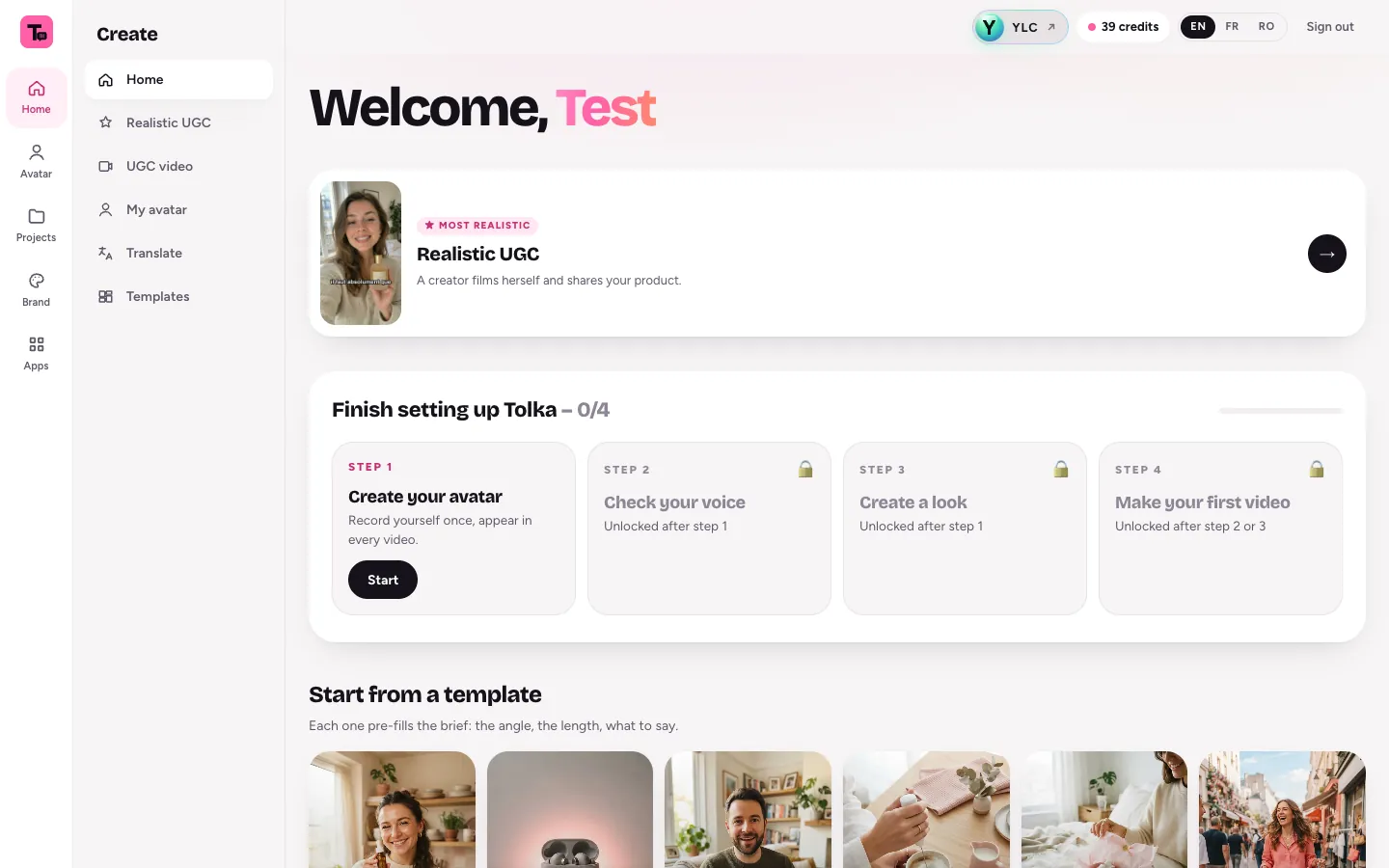
Tolka, on screen

The home screen of Tolka

What you can do

For your business

  • A UGC-style ad for your product, from a link or a few photos.
  • Three hooks and a script, before the video is made.
  • Your own avatar, from your photo.

For your agency and your clients

  • UGC ads for your clients' products.
  • Several hooks to test for the same offer.
  • Vertical, square or horizontal, depending on the network.

Who handles it in your team

Leo Video maker

Leo makes UGC-style video ads with Tolka: a presenter speaks your script to camera, with subtitles. The presenter photo must be yours, or one you have the right to use.

Ask in your office

  • “A UGC ad for my product, with my photo”
  • “Write the script of a 30-second ad”

Your first result, step by step

Create your first video

  1. Open Tolka: click My apps, then Tolka.
  2. Click New video.
  3. What are we presenting?: paste a Link to your product page, or add up to 4 Photos (PNG, JPG, WebP). Choose the Video language and the Length (15 to 60 seconds).
  4. Click Write 3 hooks + script.
  5. Pick your hook, read Your script, then click Continue.
  6. Who says it?: choose an avatar from the Library, Your photo or My avatar. Choose the voice, the quality and the format.
  7. Click Generate video. It takes 2 to 6 minutes.

For a more realistic ad with your product in hand, open Realistic UGC in the menu.

What it costs

Tolka is included in your Pass. The exact price shows before each generation, and you are never charged more.

  • Three hooks and the script: 1 credit.
  • A video with an avatar is counted by the second, depending on quality: 1 to 3 credits per second (5 seconds minimum).
  • A realistic UGC ad: 33 (up to 15 s of speech), 60 (up to 25 s) or 89 (up to 40 s).
  • Creating your own avatar: 55.

If a video fails, your credits are given back.

Go further

Online guide: ylcnetwork.com/aide/guides/tolka · Updated 21 October 2026

Can't find your answer?

A person from the YLC team answers in the chat.

Write to us