Business My brand & quests
Success in the Business space
Success lists Léa's help videos the way your Business menu is laid out: one section per tab.
On this page
In short: Success is the library of help videos. In Business mode, it follows your Business menu: your office, your quests, My brand, the Studio, Referrals and My apps.
Open Success
- In the sidebar, open Tools.
- Tap Success.
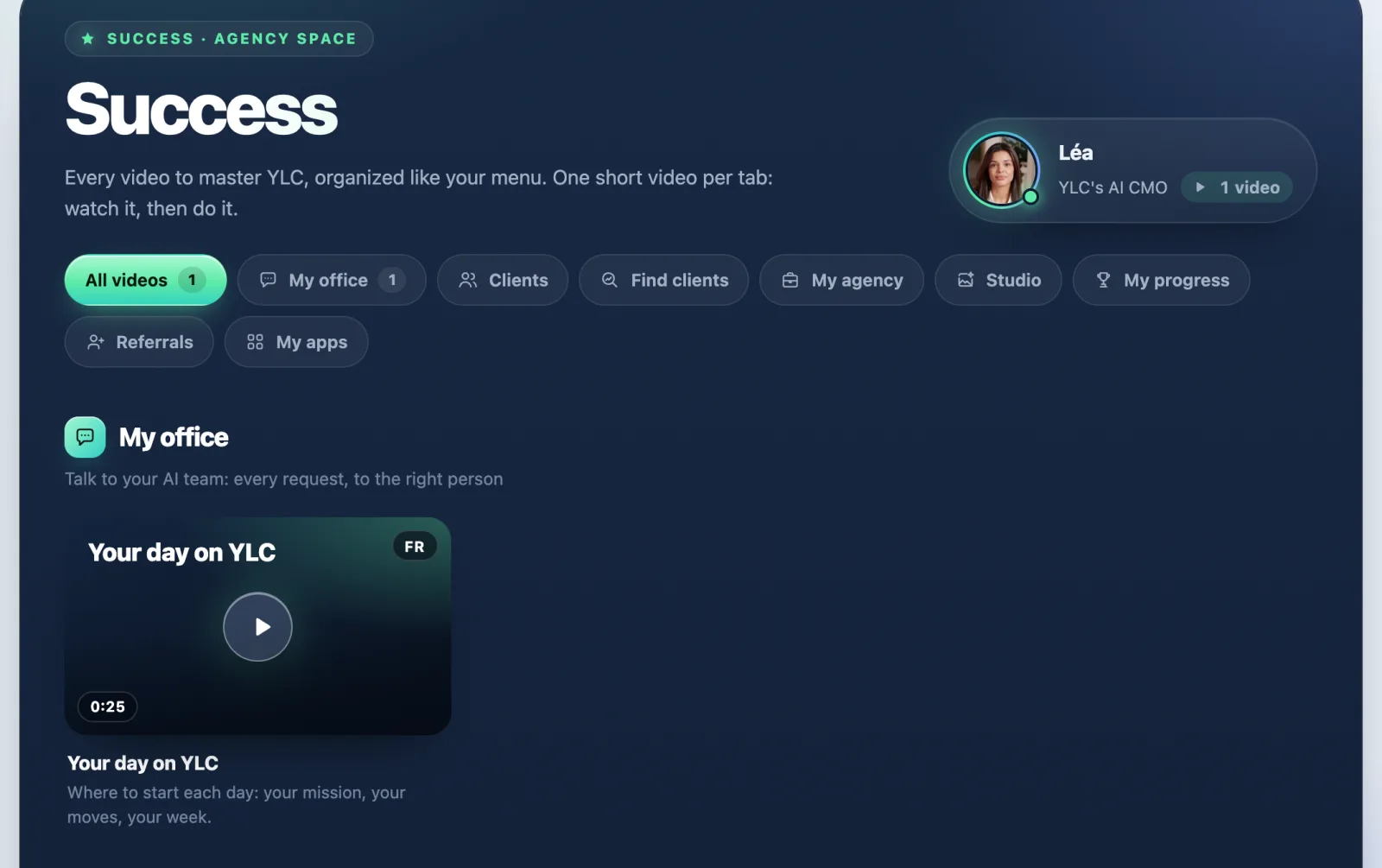
The sections of the Business space
- My office: talk to your AI team.
- Your quests: one quest a day to launch your brand.
- My brand: your brand and its Brain.
- Studio: your creations, your images, videos and voices.
- Referrals: your link, your results and your kit.
- My apps: every app in your Pass.
At the top, Sections filters the library, and All videos shows everything again.
Without a Pass, Success only shows the sections of your sidebar: My office, My brand and Referrals.
The space changes, so does the library
Success shows the library of the space that's open. Switch to My agency with the Your space selector: you see the agency one.
If it doesn't work
- "Video coming soon": Léa is preparing the video for this section. The tutorials are being remade, and most sections don't have their video yet.
- A video is in another language: videos exist in French and English. When yours is missing, the screen says which language it's in.
See also
Did this article help you?
Thanks! Glad it helped.
Sorry about that. Write to us: a person from the team will answer. Write to us