Business My brand & quests
My brand: your brand's Brain
Your logo, colours, voice and contact details, written once: your whole AI team and every app follow them.
On this page
In short: My brand is the sheet your whole team follows. The fuller it is, the better the work. Fill it in by hand, or let YLC find everything about your brand for 5 credits.
Open My brand
In the sidebar, tap My brand. In your office, the My brand · 60% · Complete → pill (the percentage changes) leads to the same place.
At the top of the page, the Brain …% complete gauge and the Missing: line tell you what's left to give.
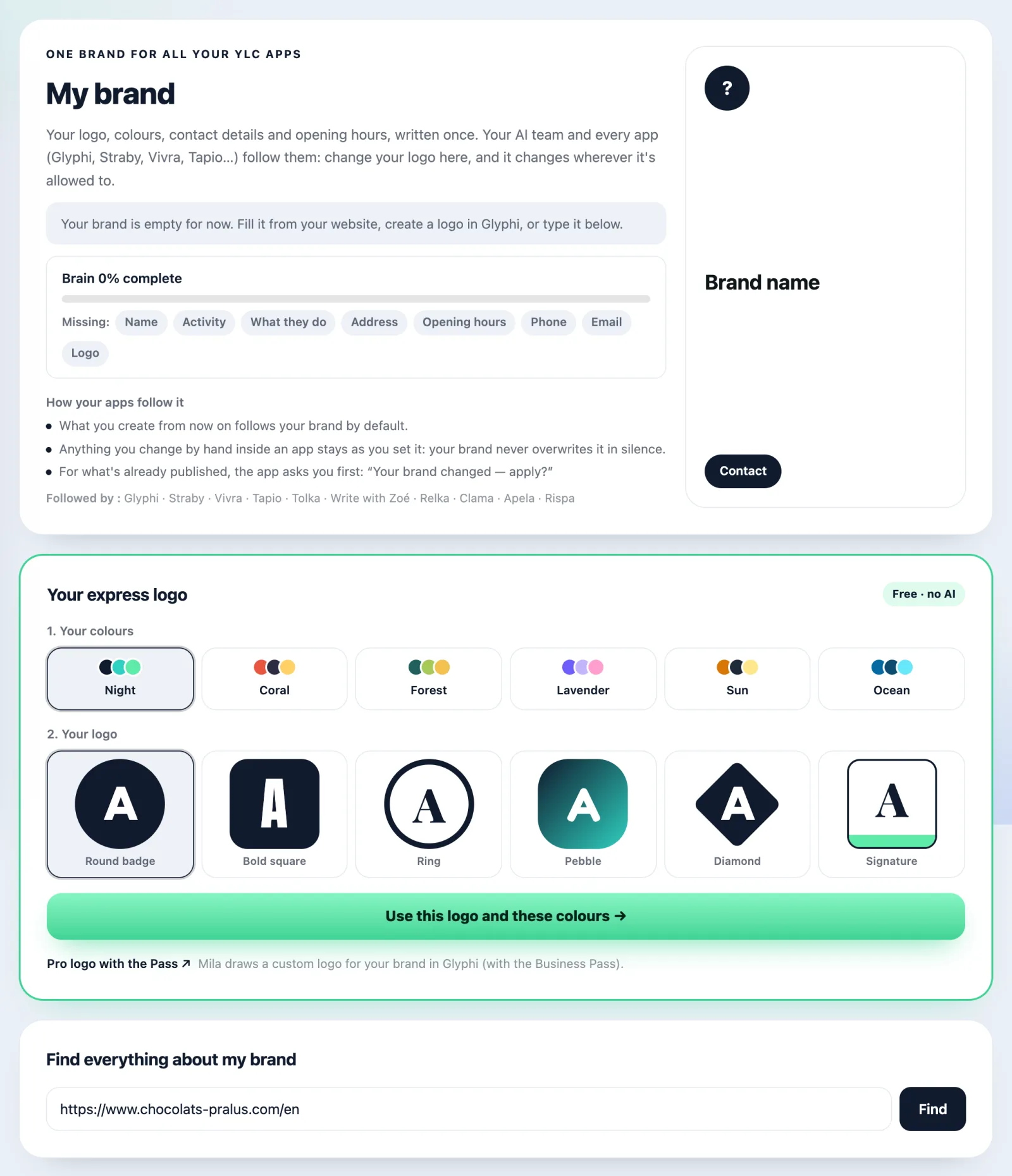
Find everything about your brand
- In the Find everything about my brand block, type your brand name and city, or paste a link (your website, your Instagram, your Google Maps listing…).
- Tap Find.
- The screen shows the price: 5 credits, refunded if nothing is found. Confirm to start the search.
- Review the suggested fields. Those marked to check deserve a look. Untick the photos you don't want to keep.
- Tap Save my brand.
Fill it in by hand
The blocks on the page:
- Identity: the name, tagline, what you do, the description.
- Logos: tap Add a logo, then pick its use (Main, Icon, Horizontal, One colour).
- Colours: tap Add a colour, then give it a role (Main, Secondary, Accent, Background, Text).
- Voice: the Tone of voice, meaning how your brand speaks. Your apps' AI reads it before writing for you.
- Contact details: email, phone, address, website, legal notice, opening hours.
- Social networks: a link or a username (@yourname). For WhatsApp, your number.
- Photos: tap Add photos.
When you're done, tap Save my brand. The message "Saved. Your apps will use it from now on." confirms it.
How your apps follow it
- What you create from now on follows your brand.
- Anything you changed by hand inside an app stays as you set it.
- For what's already published, the app asks you first: "Your brand changed, apply?"
Go back
The History block keeps every version. Tap Restore on an older version: it becomes the newest one, nothing is lost.
Receive your brand from your agency
Your agency prepared your brand in YLC? It sends you a link.
- Open the link, then sign in (or create your YLC account).
- The Your brand, prepared for you page opens: your agency prepared your logo, colours and contact details there.
- Tap Accept my brand. Nothing happens without your click.
- "Done: it's your brand now.": tap See my brand.
What it costs
- Filling in and saving your brand by hand: free.
- The express logo: free.
- Find everything about my brand: 5 credits, refunded if nothing is found. Searching again within 30 days is free.
If it doesn't work
- "Reading a website needs an active Pass.": the search needs the Business Pass.
- "Not enough credits. Nothing was charged.": top up your credits, then try again.
- "Nothing reliable found": try the exact name and city, or your website. Your credits were refunded.
- "Your brand was changed somewhere else in the meantime": tap Reload, then save again.
- "Only PNG, JPG or WebP images." or "This image is over 5 MB.": pick another file.
- "This link is invalid or has expired.": ask your agency for a new one.
- "You already have a brand in YLC.": ask your agency to send you the details instead, or clear yours first.
- "This brand has already been handed over, or no longer exists.": check with your agency.
See also
Did this article help you?
Thanks! Glad it helped.
Sorry about that. Write to us: a person from the team will answer. Write to us