Sign in Start free

App guide · Get seen

Lanzo

Short links that open the right app.

Lanzo shortens any link and opens it straight in the right app (YouTube, Instagram, TikTok, Amazon…). You get a QR code and live clicks. Kai, your AI web designer, can create your links.

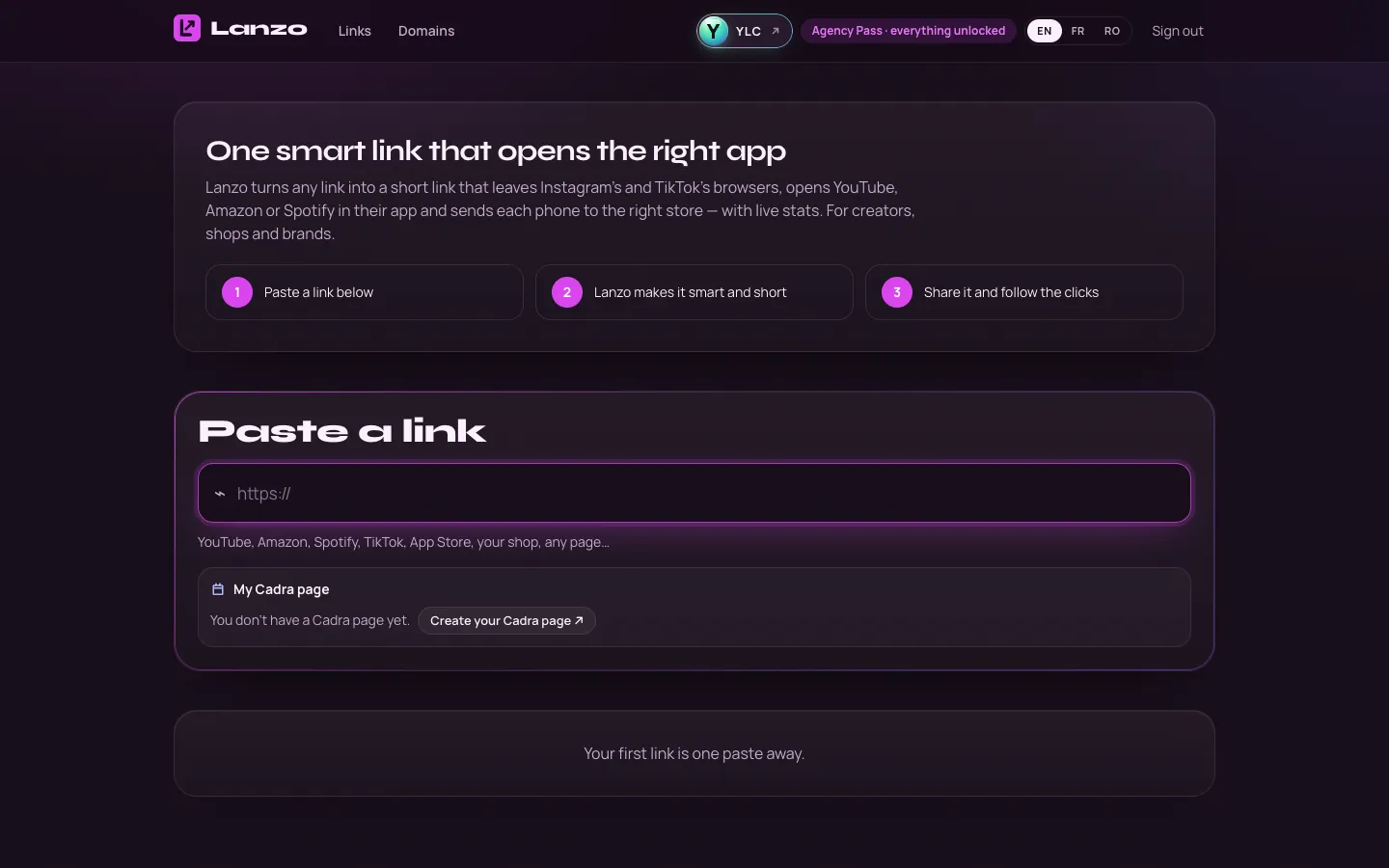
Lanzo, on screen

The home screen of Lanzo

What you can do

For your business

  • A short link to your video, your menu or your shop.
  • A QR code in your colors.
  • Live clicks: devices, countries, where they come from.

For your agency and your clients

  • Links and QR codes for each client campaign.
  • Change where a link goes without reprinting the QR code.
  • Show clicks to the client, with bots left out.

Who handles it in your team

Kai Web designer

Kai makes short links and QR codes that open the right app on phones, and tells you how many people clicked. A link is public as soon as it is created.

Ask in your office

  • “A short link and QR code to my menu”
  • “How are my links doing?”

Your first result, step by step

Create your first link

  1. Open Lanzo: click My apps, then Lanzo.
  2. Click Create a link.
  3. In Paste a link, paste the destination address.
  4. In Your link, type a name (3 to 40 characters), or click Random.
  5. Keep Leave in-app browsers ticked.
  6. Click Launch it. Your link is live and already copied.

What it costs

Lanzo is included in your Pass.

  • Texts written by AI (preview, post, explaining your statistics): included.
  • A preview image: 3 credits. An artistic QR code: 5.
  • The artistic QR is only delivered if it scans. Otherwise, it's retried or your credits are refunded.

Go further

Online guide: ylcnetwork.com/aide/guides/lanzo · Updated 21 October 2026

Can't find your answer?

A person from the YLC team answers in the chat.

Write to us