Sign in Start free

App guide · Create

Montra

Edit your videos right in your browser.

Montra is a full video editor that runs in your browser, nothing to install. You edit, add text, music and captions, and export to MP4 on your device. Leo, your AI video maker, can prepare a project from a template for you.

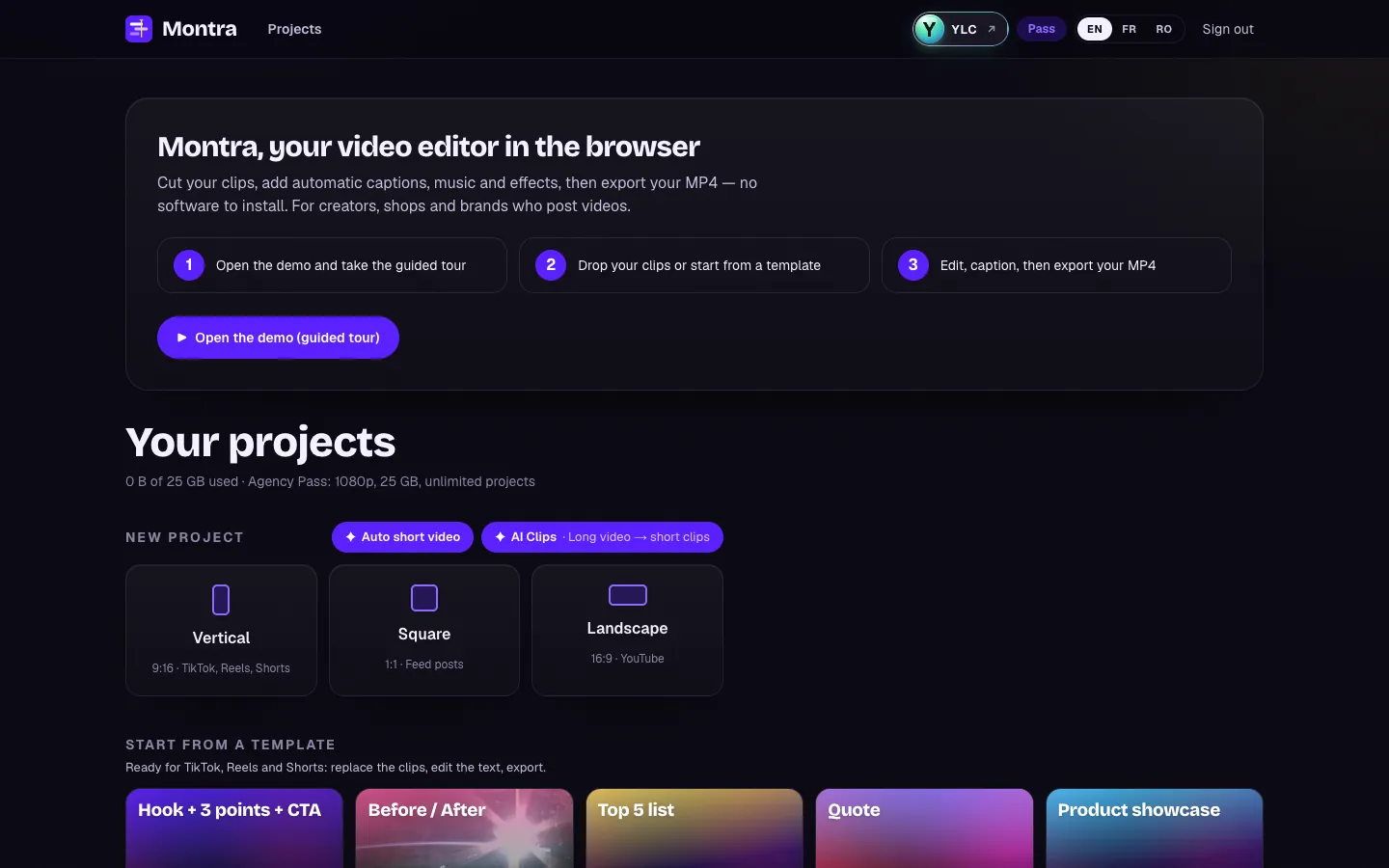
Montra, on screen

The home screen of Montra

What you can do

For your business

  • Edit your clips with text, music and animated subtitles.
  • Cut a long video into short clips with AI Clips.
  • Export to MP4, with nothing to install.

For your agency and your clients

  • Start from a template and swap in the client's clips.
  • Subtitle your clients' videos in a few minutes.
  • Turn a live or a webinar into clips for social media.

Who handles it in your team

Leo Video maker

Leo starts an editing project from a Montra template, with your texts. You drop your clips in, adjust and export, right in your browser.

Ask in your office

  • “Start an editing project”
  • “Which template suits a product launch?”

Your first result, step by step

Your first video

  1. In your YLC account, tap My apps, then Montra, or go to montra.ylcnetwork.com.
  2. Click New project and pick the format. Or click Start from a template, then Use.
  3. Drop your videos, photos or music, or use the timeline's + button: Video or photo, Text, Music, Captions.
  4. For captions, open Captions, pick the language and style, then click Generate captions. You can fix every word for free.
  5. Click Export, choose the Quality (720p or 1080p), then Export MP4. Keep the tab open until Your video is ready, then click Download MP4.

In the editor, Help then Take the tour starts the guided tour again.

What it costs

  • Editing, importing, exporting: no credits.
  • Auto captions: 1 credit per started minute of sound.
  • AI voice-over: 2 credits per 1,000 characters.
  • Background removal: 1 credit for a photo, 7 credits for 5 s of video (30 s at most).
  • AI Clips: 11 credits for 10 minutes of video, captions included.
  • Auto short video without speech: free (30 a day).

Each AI tool shows its price first. If it fails, your credits come back.

Go further

Online guide: ylcnetwork.com/aide/guides/montra · Updated 21 October 2026

Can't find your answer?

A person from the YLC team answers in the chat.

Write to us