Sign in Start free

App guide · Share what you know

Didra

Your online course, from idea to sale.

Didra lets you build a course with video, text, PDF and quizzes, then sell it. Students pay straight into your own Whop account and YLC takes nothing on your sales. Zoé, your AI copywriter, can write the outline and lessons with you.

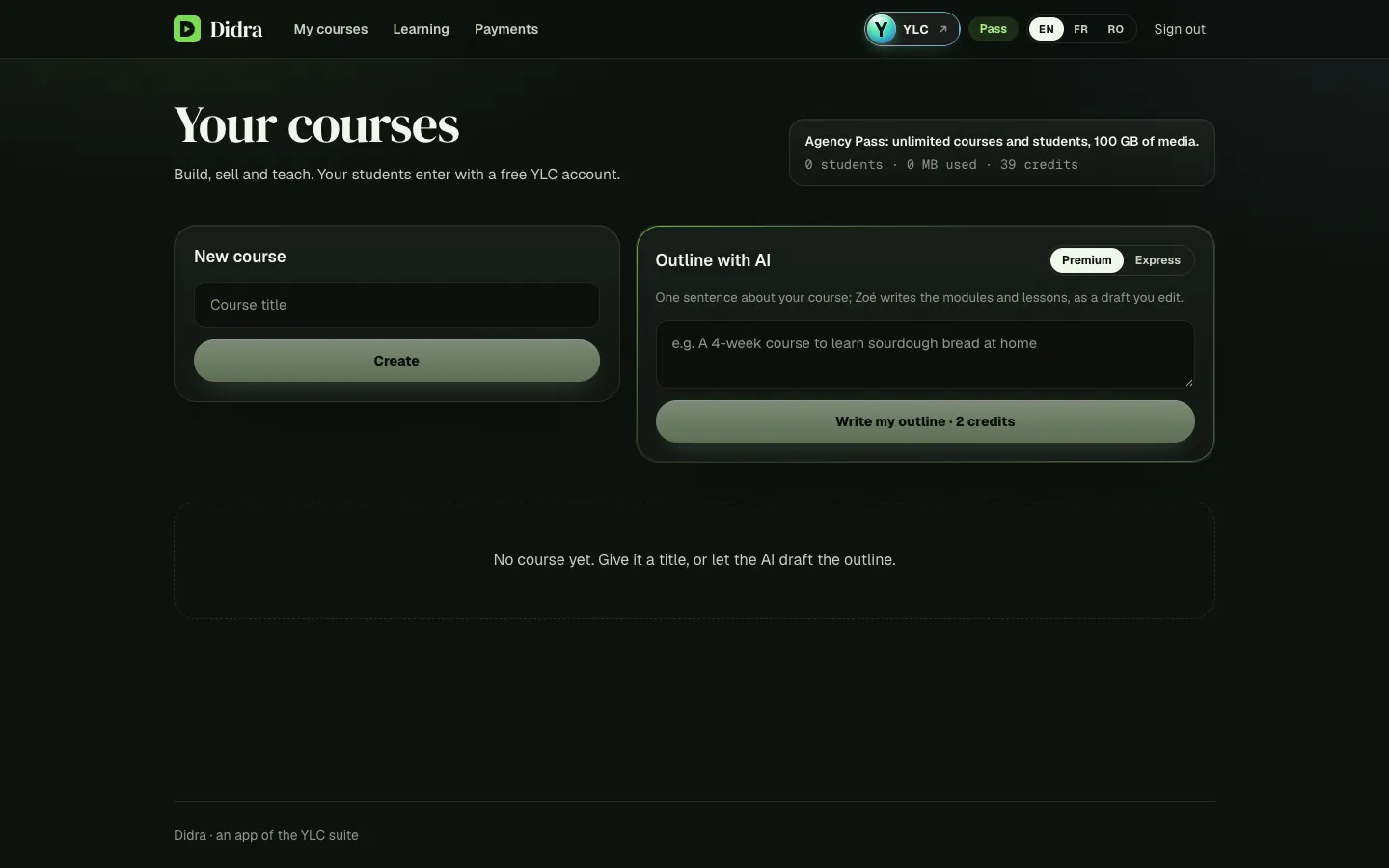
Didra, on screen

The home screen of Didra

What you can do

For your business

  • A course in video, text, PDF and quizzes.
  • A members' area for your students.
  • Sell it as a one-time price or a subscription: YLC takes 0% of your sales.

For your agency and your clients

  • An expert client's course, from the outline to the sales page.
  • Lessons and quizzes written by Zoé, as drafts.
  • A members' area ready for their students.

Who handles it in your team

Zoé Copywriter

Zoé drafts your course outline, then writes the lessons, the quizzes and the sales page in Didra, as drafts: you check, set the price and publish. She also writes your course emails for you to paste.

Ask in your office

  • “Draft a course on sourdough bread for beginners”
  • “Write the sales page of my course”

Your first result, step by step

Create and sell your first course

  1. In your YLC account, tap My apps, then Didra, or go to didra.ylcnetwork.com.
  2. In Outline with AI, write one sentence about your course and click Write my outline. Or, in New course, type a Course title and click Create.
  3. In the Content tab, click Add a module, then Add a lesson. Choose the type, add your video or text, tick Published and click Save the lesson.
  4. In Settings, choose the Price (0 = free course), Currency and Billing (One-time or Monthly subscription), then click Save settings.
  5. In Sales, tick I accept the YLC seller terms, click Accept, then Set up my Whop payouts and finish your verification at Whop.
  6. Go back to Settings and click Publish the course. Copy Your course link to share it.

What it costs

  • A course outline by AI: 1 credit in Express, 2 in Premium.
  • A lesson, an end-of-module quiz or the sales page by AI: 1 credit each.
  • Creating, uploading, selling and taking a course: no credits. YLC takes 0% of your sales.

The price shows on the button before you confirm. If the AI fails, your credits are refunded.

Go further

Online guide: ylcnetwork.com/aide/guides/didra · Updated 21 October 2026

Can't find your answer?

A person from the YLC team answers in the chat.

Write to us