Referrals
Referrals: the resources
The pages to understand YLC, your link and QR code, visuals to download and messages to copy.
In short: the Resources tab of Referrals brings together YLC's reference pages, your link, your QR code, visuals with your QR code and ready-to-send messages.
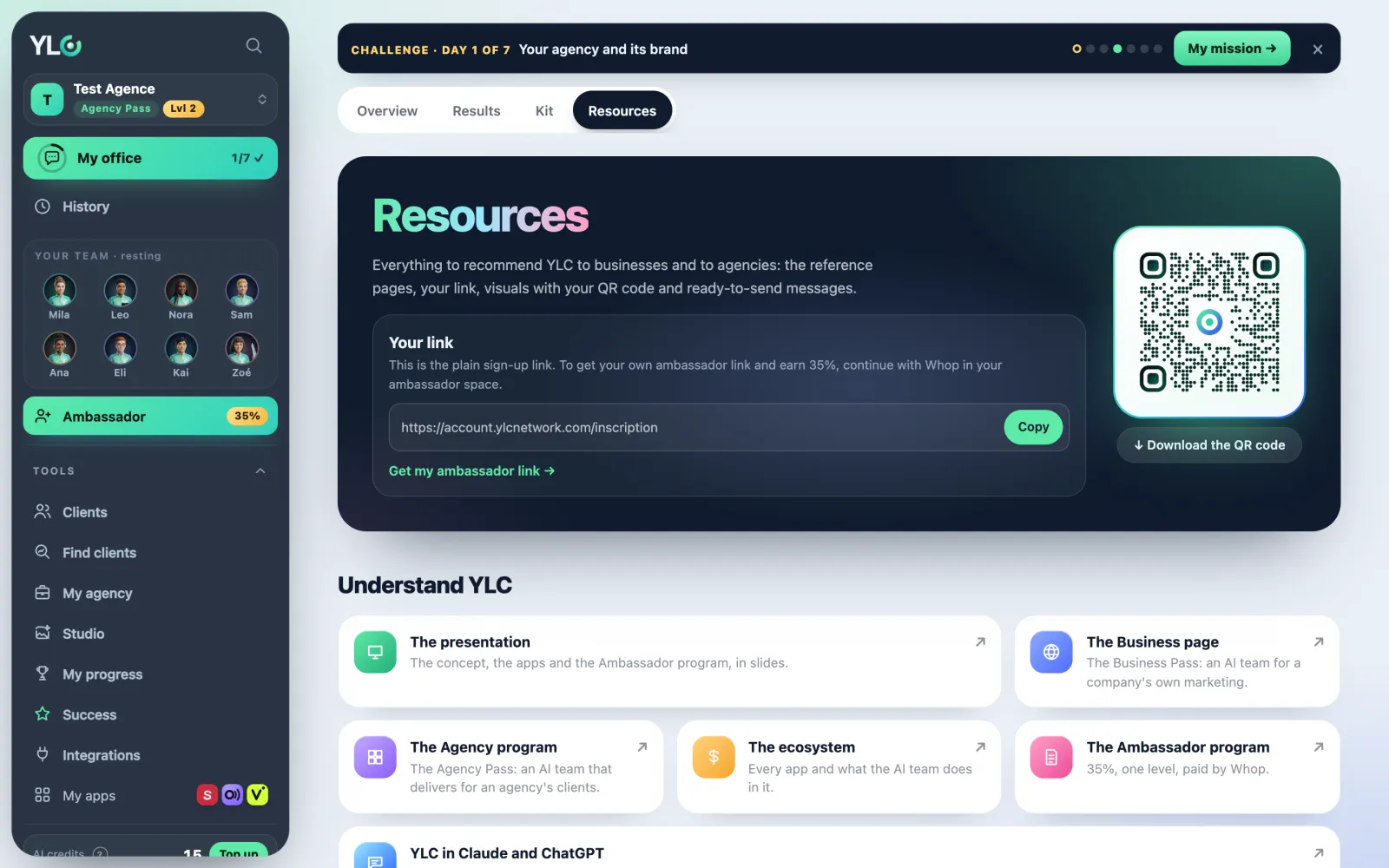
Opening the resources
- Click Referrals in the bar.
- Open the Resources tab.
What you'll find
- Understand YLC: the presentation, the Business page, the Agency program, the ecosystem, the affiliate program, and YLC in Claude and ChatGPT. Each card opens the page.
- Your link: tap Copy. Next to it, Download the QR code.
- Visuals to share: pick the Language of the visuals, then a group: Your AI team, The apps, Why YLC or The Green. Each visual comes as a post (1080 × 1080) and a story (1080 × 1920). Tap Download.
- Messages to copy: short messages for the chosen group, your link already in them. Tap Copy.
- Four rules when you share, to read again before posting.
What it costs
Nothing. The resources are free.
If something goes wrong
- Your link is a plain sign-up link: you don't have your affiliate link yet. Tap Get my affiliate link and continue with Whop.
- The preview shows another QR code: that's normal. Previews show a generic QR; the visual you download carries yours.
- "Preparing…": the visual is being drawn. Wait a few seconds.
See also
Did this article help you?
Thanks! Glad it helped.
Sorry about that. Write to us: a person from the team will answer. Write to us